G DATA Security Awareness Trainings
Enrolling learners on the waiting list in courses
If a course is not displayed for learners, it may be because they were placed on the waiting list. In this case, proceed as described below.
1 |
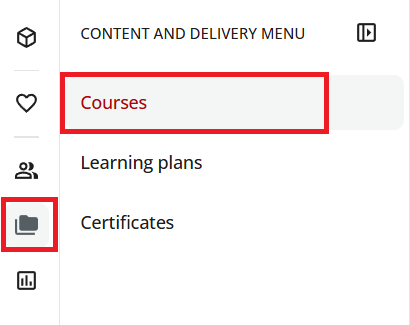
Open the "Courses" area. To do so, use the folder icon in the upper left to open the menu and then select Courses. |
|
2 |
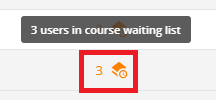
Search for the relevant course. In the "Waiting list for the course" column, you can see whether learners are on the waiting list. |
|
3 |
Click the icon with the preceding number to open the course waiting list. |
|
4 |
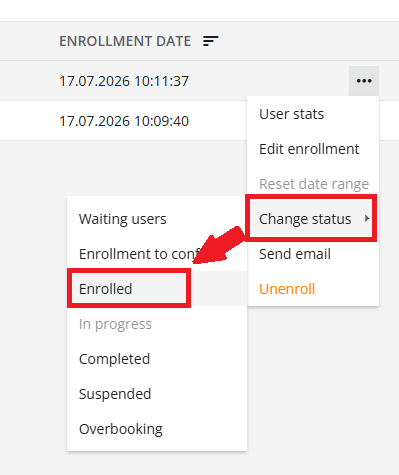
For the relevant learner, click the three dots at the end of the row and select Change status → Enrolled. |
|
The learner is now enrolled in the course and can open the course.