G DATA Security Awareness Trainings
Opening a report preview
You can open a preview of the report in the Learning Management System.
| The preview contains a maximum of 100 rows. If your report exceeds this size, the additional rows are no longer displayed. We therefore recommend downloading the report as a CSV or Excel file. You can find out how to do this here |
This is how to open a preview of the report.
1 |
Open the "Reports" page. To do so, use the statistics icon in the upper left to open the menu and then select Reports. |
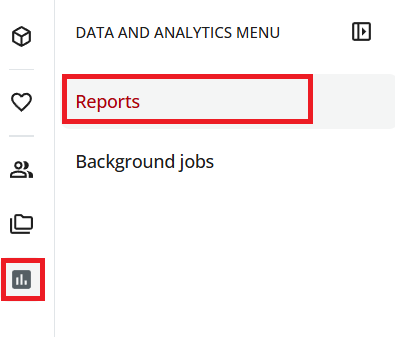
|
2 |
Switch to the Create custom reports tab. A list of six reports appears, which we provide by default. |
|
3 |
In the Name column, click the name of the report. |
|
A preview of the report opens. Depending on the volume of data, this process may take a few seconds.