G DATA MXDR
Role Management
Roles define the set of permissions users need to perform their assigned tasks. Roles reflect how responsibilities are organized in your company.
|
We recommend using the predefined Admin and Read-Only roles. |
If needed, you can create custom roles for each category and assign them to users.
During the kickoff meeting, our G DATA Security Operations Team will advise you on organizing a role structure that meets your needs.
The overview shows the available categories. Which categories are displayed depends on the products assigned to your Organization Unit. When you order additional products, the associated categories are automatically added.

Overview
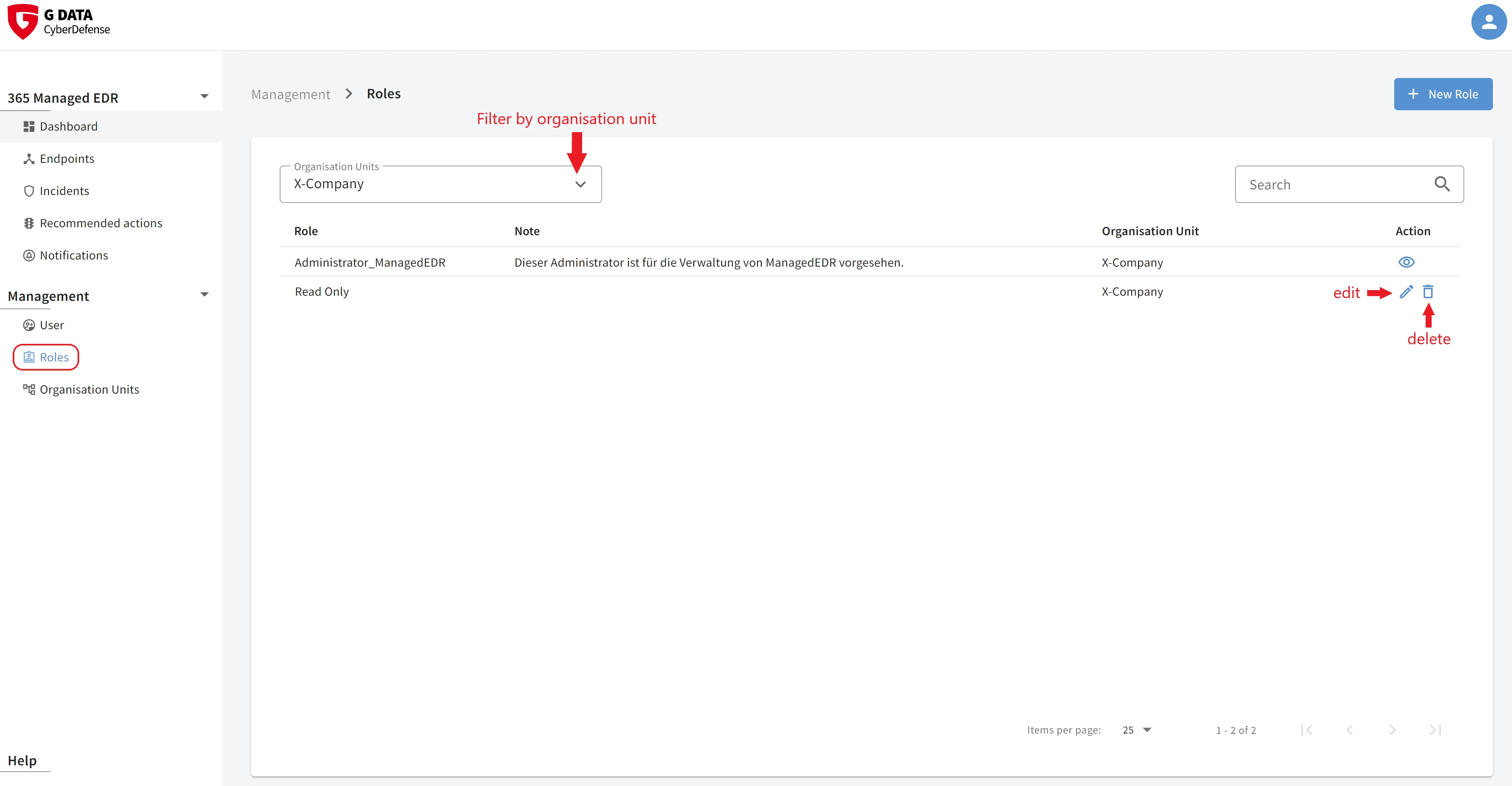
In Role Management, you can see the permissions assigned to the predefined roles Admin and Read Only. These roles
cannot be removed. If needed, custom roles can be created for each category
 .
The window for assigning permissions to the new role opens.
To change the permissions of a user-created role, click the edit icon  in the corresponding row.
To delete a role, click the delete icon in the corresponding row
 .
|
A role can only be deleted when it is no longer assigned to any user account. During the deletion process, affected user accounts can be assigned a new role. 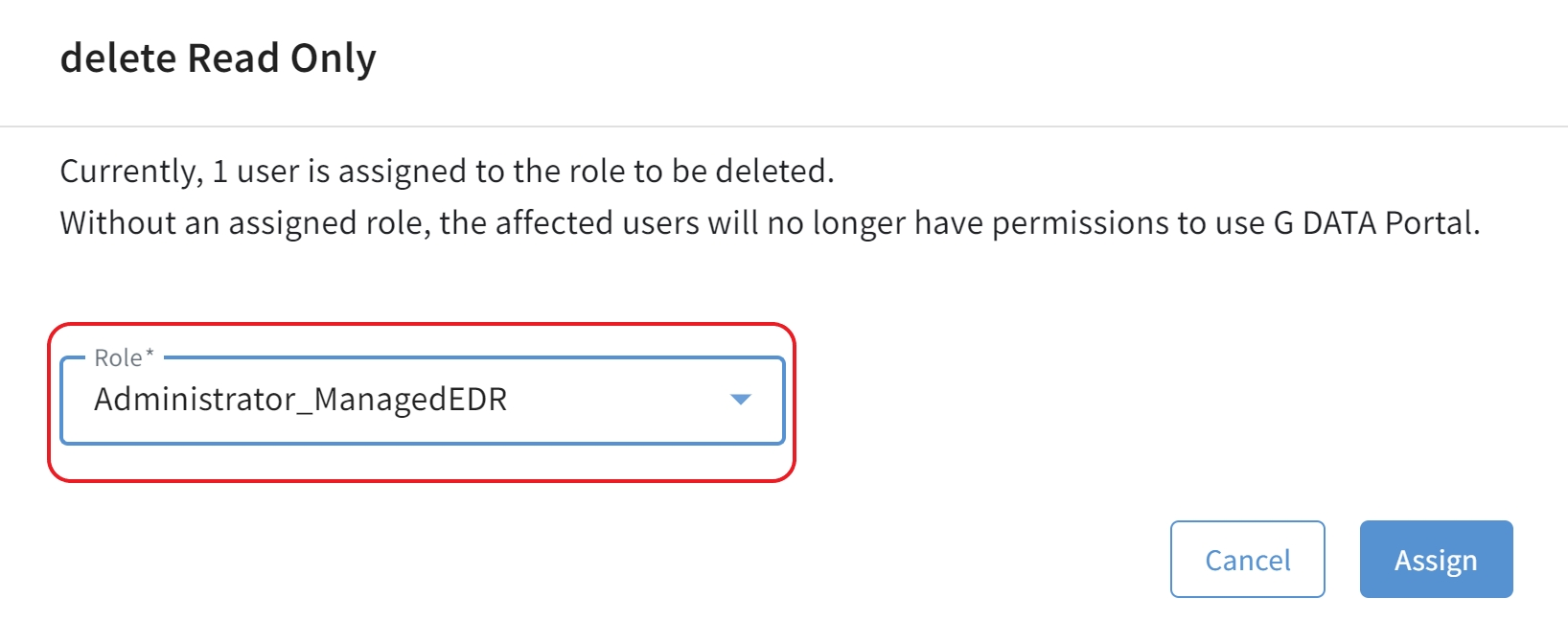
|
Core Functions
Core Functions
The core functions support the general operation of the web portal and provide functions for User Management, user roles, and organization. The available permissions are listed below by category.
User Management
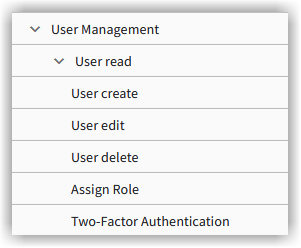
View users |
Allows viewing users. |
Create user accounts |
Allows creating new users. |
Edit users |
Allows editing existing users. |
Delete users |
Allows deleting existing users. |
Assign roles |
Allows assigning a role to a user. |
Two-factor authentication |
The permission to enable or disable two-factor authentication for a user. |
User roles
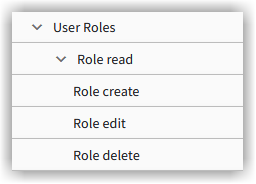
View roles |
Allows viewing roles. |
Create roles |
Allows creating new roles. |
Edit role |
Allows editing existing roles. |
Delete role |
Allows deleting existing roles. |
Organization
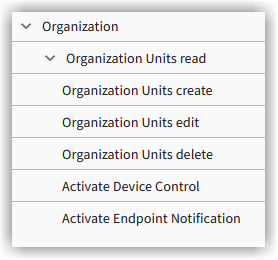
View Organization Units |
Permission to view Organization Units |
Create Organization Units |
Allows viewing Organization Units. |
Edit Organization Units |
Allows editing existing Organization Units. |
Delete Organization Units |
Allows deleting existing Organization Units. |
Enable Device Control |
Allows enabling Device Control. |
Enable Endpoint notifications |
Allows assignment of Endpoint notifications. |
MXDR Features
G DATA MXDR
MXDR Features
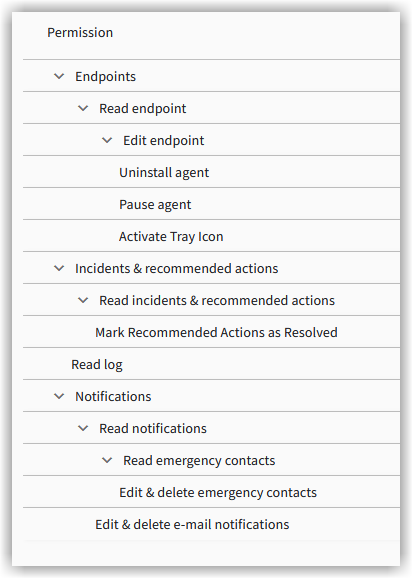
View and edit |
Determines whether users with this role can view and/or edit Endpoints. |
||
Agent configuration options |
Removing the Endpoint from the portal requires permission to uninstall Agents from Endpoints. When you start uninstalling the Agent, you can choose whether to also remove the Endpoint from the portal. Users authorized to uninstall Agents can still remove the Endpoint from G DATA Web Portal at a later time.
|
||
Pause Agent |
Here you can configure whether users with this role can pause the Agent on Endpoints for 15 minutes.
|
||
Enable tray icon |
Here you can configure whether users with this role can display the Agent’s tray icon on Endpoints. |
Incidents & Recommended Actions
View Incidents & Recommended Actions |
Here you specify whether users with this role can view Incidents and Recommended Actions. |
Mark Recommended Actions as completed |
Here you specify whether users assigned to this role may mark Recommended Actions as completed. This option is only available if the role has permission to view Recommended Actions. |
View logs |
Here you specify whether users assigned to this role can see the Logs view. |
Notifications
Receive notifications |
Toggle to control whether users assigned to this role receive notifications. |
||
Add & remove emergency contacts |
Here you can specify whether users assigned to this role can add users to and remove users from the emergency contact list.
|
||
Edit & delete email notification recipients |
Determines whether users with this role can add users to and remove users from the list of email notification recipients. They can also configure the email language and the types of notification events.
|
Device Management
Device Management
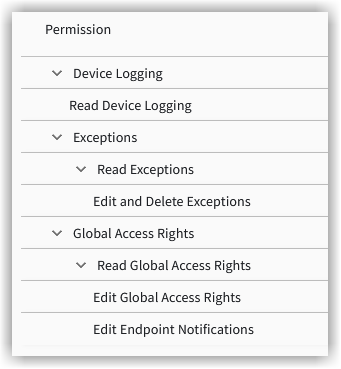
If you use the product G DATA Policy Control, you can specify here which changes users assigned this role can make in the product.
View Device Logging |
Determines whether users with this role can view Device Logging. |
View Exclusions |
Allows viewing Exclusions. |
Edit and delete Exclusions |
Allows editing and deleting Exclusions |
Global access rules |
Specifies whether users with this role can view and/or edit global access rules and edit the notifications displayed on Endpoints. |