G DATA MXDR
Uninstalling the G DATA Agent on macOS systems
You can easily remove the G DATA Agent from your macOS system via the G DATA Web-Portal.
Uninstalling the G DATA Agent via the G DATA Web-Portal
The easiest way to uninstall an G DATA Agent is to initiate the uninstallation via the G DATA Web-Portal. If you choose a different method, you require an uninstall token. You can obtain it from our G DATA Security Operations Team.
1 |
Log in to the G DATA Web-Portal. |
2 |
Go to the Endpoints view and open the details panel for the endpoint from which you want to remove the G DATA Agent. To do so, click the relevant endpoint in the overview list. |
3 |
Click Uninstall Agent. 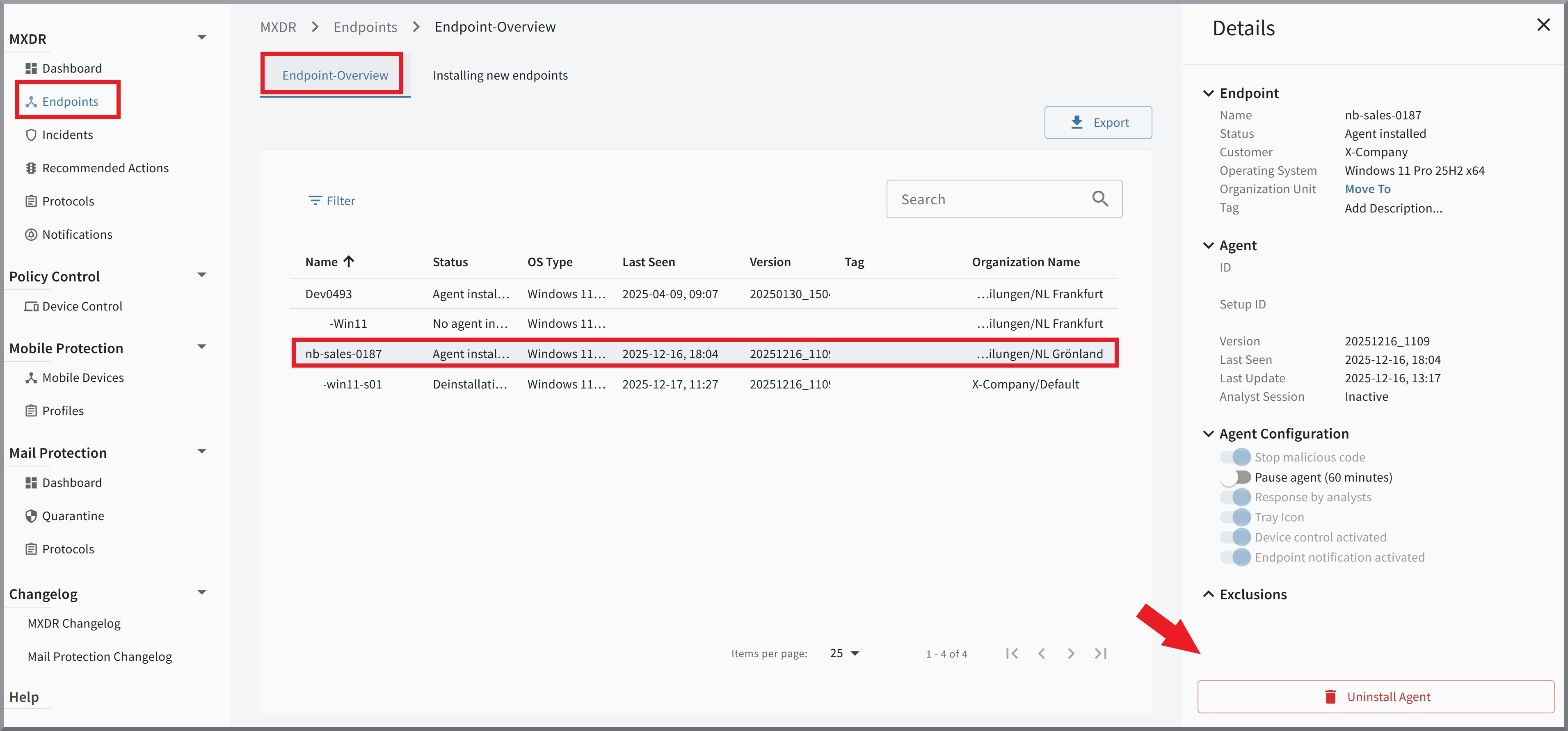
|
4 |
If you want to permanently remove the device from monitoring, enable the checkbox Remove endpoint from the endpoint list now. If this is a temporary uninstallation of the Agent, the endpoint can remain in the list so that the assignment to the Organization Unit remains in place. 
|
5 |
The Agent will be uninstalled as soon as the endpoint is reachable. |