G DATA MXDR
Recommended Actions
This area lists all Recommended Actions in a single list to provide better clarity during processing.
You can sort this list by Priority or by date created. In addition, you have the option to filter the list of Recommended Actions by
-
Priority (low, medium, high)
-
Status (open / closed)
You can select any combination of filter criteria. In addition, the Endpoint for which the Recommended Action is relevant is displayed.
| Recommended Actions that are shown grayed out in the list have already been completed. |
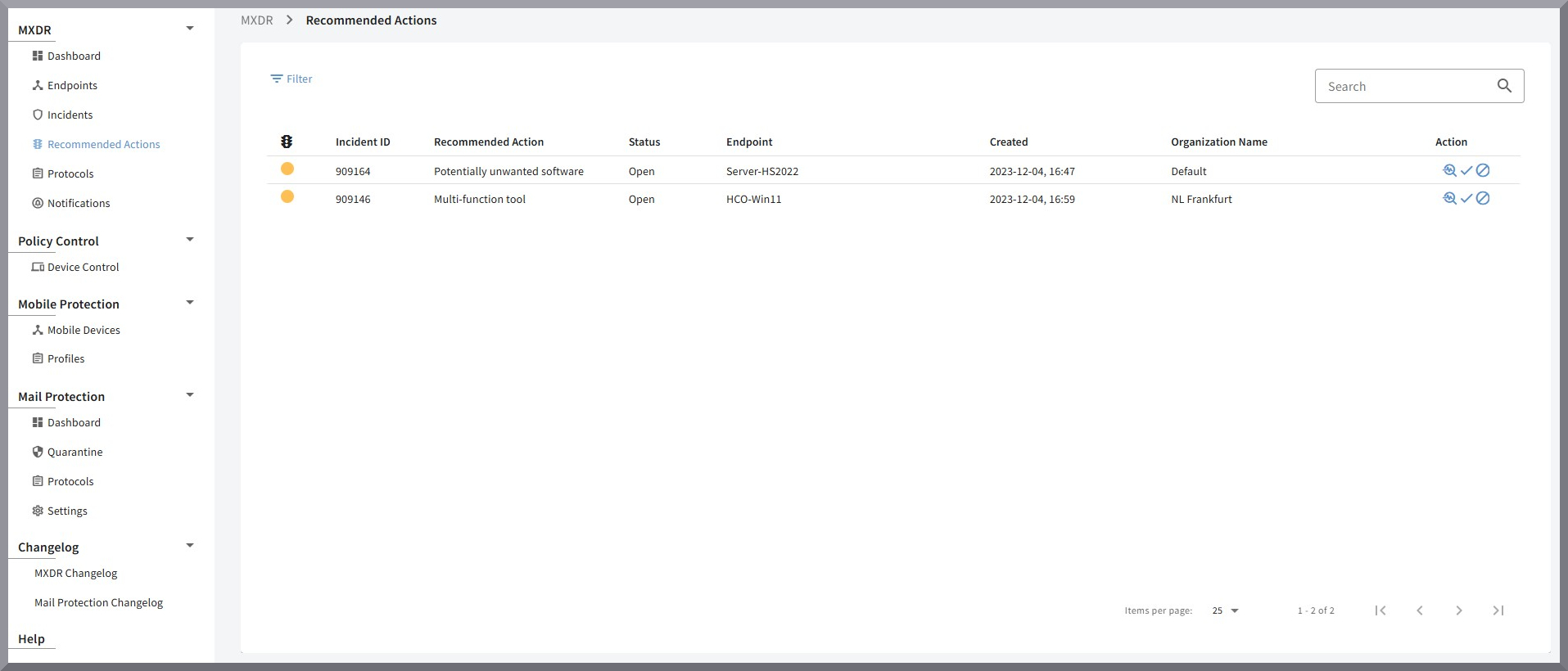
In the "Action" column of a Recommended Action in the list, you have the option to mark it as completed, reject it, or view the details page.
-
Clicking the magnifying glass
 opens the
Recommended Action details page
opens the
Recommended Action details page -
Clicking the check mark
 allows you to mark the Recommended Action as completed
 -
Clicking the
 icon allows you to
reject the execution of the Recommended Action.
icon allows you to
reject the execution of the Recommended Action.
| Rejecting a Recommended Action requires entering a response; this can be provided only once! |
Recommended Action details page
On the details page, you can view detailed information about a specific Recommended Action. This includes information about the incident to which the Recommended Action belongs, as well as the affected Endpoint and the Organization Unit.
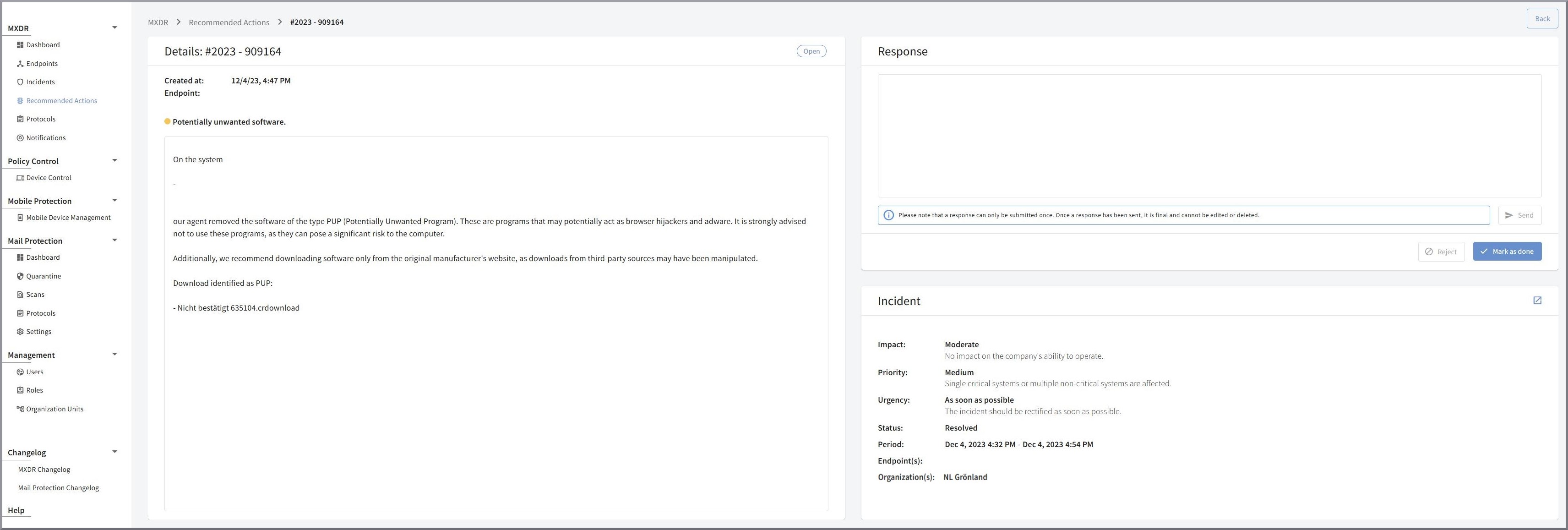
You also have the option to mark the Recommended Action as completed or to reject it.