|
With the current release, a lot has changed, especially in the context of endpoints:
-
Introduced a new, standalone details view for endpoints.
-
New table column "Security status" in the endpoints overview. This indicates whether the respective endpoint is isolated.
|
|
View changes
With the current update, in addition to internal adjustments, several issues have also been resolved.
-
When moving Endpoints to another OU where an Endpoint with the same name already exists, the correct
Agent is uninstalled.
-
An incorrect "Access Denied" Alert that was displayed in rare cases is no longer shown.
|
|
Show changes
The latest update introduced endpoint-related improvements as well as performance enhancements.
-
Adjusted user flow for issues when moving endpoints between OUs: You now have the option
to decide whether you want to overwrite existing endpoints with the same name.
-
Endpoint export: The corresponding OU description is included in the exported data.
-
Performance optimization for a wide range of views.
|
|
Show changes
This update significantly revised role management. In addition to predefined roles, you now have the option
to assign a role per category for a user, allowing you to better align users with your individual requirements.
|
|
Show changes
With today’s update, the G DATA Web-Portal has been localized into many new languages. In addition to German and English,
you can now choose Polish, Spanish, Italian, French, Dutch, and Portuguese.
|
|
Show changes
With today’s update, the behavior of the setup configurations has been improved in particular.
-
In the view Installation of New Endpoints, the Policy Control column
was removed.
-
There is now a button in this view to create a new setup configuration.
-
Older setup configurations are now also displayed in the list.
|
|
Show changes
With the last update, the most visible change for you is that the navigation has been adjusted.
-
The Dashboard is now displayed directly at the first navigation level.
-
"Notifications" is now located under the top-level item "Manage".
-
In general, only the elements that match the license of the selected OU are displayed.
|
|
Show changes
The changes in the current update are primarily aimed at clearly separating MXDR from new products. For this
reason, there are no noticeable changes for MXDR Customers.
|
|
Show changes
As a visible change for you, this update introduced a confirmation prompt when you want to temporarily pause the Agent
via the toggle "temporarily log only". This explains the functionality and points out
the risks.
|
|
Show changes
With this update, work was performed primarily under the hood. The main visible change for you is that the
"Endpoints" view now exists as a standalone menu item and is no longer located under "MXDR".
|
|
Show changes
With this update, we are releasing the following improvements:
-
The macOS installation software is now available as a download option in the G DATA Web-Portal under the "Installation of New Endpoints" view.
-
Bug fixed in the Endpoint detail view: "Endpoint notifications enabled" is synchronized correctly again.
|
|
Show changes
In addition to many internal improvements, there are also some visible adjustments for you:
|
|
Show changes
With this update, the G DATA Agent is released for Windows ARM and macOS.
|
|
Show changes
With this update, we are releasing several improvements for you:
-
The toggle for "pausing" the Agent in the Endpoint detail view has been renamed to "Temporarily Log Only
(60 minutes)" to make it clearer what the toggle functionality is.
-
The pie chart on the Dashboard now shows Agent installations by operating system.
-
Display issue in user management fixed.
-
The "Installation of New Endpoints" view now uses the new table format that was rolled out with the last update
for the Endpoints overview. All tables will be migrated to the new format gradually.
|
|
Show changes
The focus of this update was primarily on views that display Endpoints. These can now be displayed grouped by operating system.
-
Endpoints view revised, filter functions expanded, and table columns can be enabled
and disabled in the table overview.
-
Bug fixed: On installations with multiple operating systems on one FQDN, only one Agent was displayed.
|
|
Show changes
In rare cases, individual endpoints experienced problems when using Device Control. A device connected to the PC
was not displayed in the portal, but was blocked correctly. Administration of the affected device (approve/set an Exclusion)
was no longer possible.
The issue has been fixed.
|
|
Show changes
With the current update, in addition to internal optimizations, there are also a number of improvements for end customers.
-
In the Endpoint detail view, the "Stop malicious code" button can be clicked while the Agent is in pause mode.
This stops the Agent pause.
-
The list of Organization Units in the different views is now always sorted alphabetically.
-
Links to the Endpoints overview with active filters work again (e.g., from the Dashboard).
|
|
Show changes
In the current update, the focus was on internal improvements. In addition, we are releasing a new "Installation
of New Endpoints" view under the Endpoints view.
|
|
Show changes
The latest update includes a number of new statuses for Incidents in addition to internal improvements. This is intended to provide
more transparency about the state of Incidents and whether involvement is required.
|
|
Show changes
The latest update includes multiple bug fixes in addition to internal improvements.
|
|
Show changes
With the current update, several improvements and bug fixes have been released.
-
A description text has been added to the detail window for Incidents.
-
Users can now also assign roles that they themselves hold to other users.
-
Changes to notifications can now be saved in all cases.
|
|
Show changes
With today’s update, several improvements were released for you, especially in the area of notifications and emergency contacts.
|
|
Show changes
With today’s update, operation of Organization Units (OUs) has been further improved, and additional adjustments
have been introduced.
-
In the OU view, it is now possible to add notes in a free-text field. These are also considered
in search.
-
The Incidents detail view has been adjusted slightly. It now shows, among other things, whether the affected Endpoint is
a critical system.
-
Improved detection of inactivity in the G DATA Web-Portal.
|
|
Show changes
With this update, in addition to internal improvements, management of Organization Units (OUs) has been adjusted. In addition,
a new Linux client was recently released.
-
New filters have been added to OU management to provide a better overview. Details can be found in
this article.
-
If multiple Customers are managed, the specific Customer or Organization Unit is now identified
in the Incidents detail view.
-
Timeline for Incidents is now displayed correctly.
-
Bug fixed for sending email notifications.
-
Incorrect error message that could occur in rare cases in role management fixed.
|
|
Show changes
With today’s update, several internal improvements were developed for you. In addition, the time period
for which you can pause the Agent was adjusted from 15 minutes to 60 minutes.
|
|
Show changes
With the current update, there are several new features for users of the clients. In addition to internal adjustments:
|
|
Show changes
Since the beginning of the year, several improvements have been released for you.
-
The detail panels for Recommended Actions and Incidents have been removed. All detail information is available in a clear
format on the respective detail pages, which you can open from the overview pages via the magnifying glass icon  . .
-
It is now possible to write a response for a Recommended Action. Please note that this is only possible once.
-
Recommended Actions can now also be rejected. This requires
providing a response.
-
The entries in the Endpoints pie chart on the Dashboard now link directly to the respective overview page
of the affected Endpoints.
-
In the timeline, only three entries are initially displayed for clarity.
You can expand this view and view all available entries.
-
The theme of the G DATA Web-Portal now defaults to the system default.
-
G DATA Device Control: Exclusions for devices can now be limited in time and therefore no longer need to be removed manually
after a desired time.
|
|
Show changes
With the current update, there are several new features for users of the clients.
-
Users who connect to server systems via remote connection now receive a GUI as long as there is only one active
session. If there are multiple concurrent active terminal server sessions, the GUI is closed automatically.
-
No security notifications are displayed on endpoints if the Agent on the affected system
is in log-only mode or pause mode.
|
|
Show changes
In addition to several internal improvements, this update adjusted the information behavior when pausing the Agent.
To inform users on endpoints about the pause, the tray icon is grayed out and the pause
is displayed on mouse-over.
|
|
Show changes
With this update and the previous updates, many internal improvements were released. In addition:
-
Lists with no entries now display a note. This occurs regardless of whether there are no entries at all
or whether the filter options are responsible for the absence.
-
Lists are initially displayed in the default sort order.
-
[Device Control] For Endpoint notifications, the field for the link to the ticket system is now optional.
|
|
Show changes
With the current update, it is now possible to display notifications for detections on endpoints directly.
This helps employees understand why an application cannot be started.
You can find the option to enable this function in role management and in the Organization Units detail view.
|
|
Show changes
With this update, several improvements and integrations were released.
-
Visualized timeline of Incidents: To improve traceability of Incidents, a detailed timeline has been built into
the detail view. All interactions related to the respective Incident are listed in chronological order.
-
G DATA Mobile Security in the G DATA Web-Portal: We have integrated our G DATA Mobile Device Management into the web portal for you. If you have purchased the corresponding product,
you can conveniently manage all your mobile devices directly from the web portal.
|
|
Show changes
New features and improvements for you:
New option for filtering Recommended Actions: The list of Recommended Actions on the overview page can be filtered by
priority and/or status.
|
|
Show changes
New features and improvements for you:
|
|
Show changes
New features and improvements for you:
-
We developed a clear Dashboard. It displays information about Endpoints, current Incidents, and
Recommended Actions.
-
A tray icon is now displayed on endpoints when the Agent is installed.
-
Notifications can now be set up when there are updates for Incidents.
-
In addition, partners can now create an Organization Unit (OU) above tenants and receive notifications
for all subordinate Organization Units.
|
|
Show changes
With this update, several new features and improvements were released:
-
The toggle for using two-factor authentication has been moved and is now located in Organization Units management:
Manage → Organization Units → Detail view
-
When assigning tags for endpoints, predefined tags from G DATA are now suggested. Of course, tags can still
be freely assigned.
-
For security reasons, users can no longer change their email address themselves. Only the Security Operations
Managers can do this.
-
The overview page for Incidents has been revised.
|
|
Show changes
With today’s update, a new view is available to you that displays information about the actions performed by
analysts on the systems. The view is accessible under Logs in the navigation. It shows
which action was performed at what time on which Endpoint.
|
|
Show changes
With today’s update, several new features and improvements were released:
-
Two-factor authentication can now be configured. The setting can be made either in user management or
role management. Users can reset two-factor authentication via the user profile.
-
If users are deleted who were part of the emergency chain, a warning is now displayed. If a user
is deleted who was the last member of an emergency chain, a new user must be specified at this point.
-
In the Alert detail view, all affected artifacts are now listed.
-
On the overview page for email notifications, there is a new column that indicates in which language notifications
are sent. For shared mailboxes, the language in which the notification is created can be set directly here.
-
In the web portal, Incidents are now labeled Incidents and Alerts are labeled Alerts.
|
|
Show changes
With today’s update, a new area for the product G DATA MXDR was introduced:
Notifications.
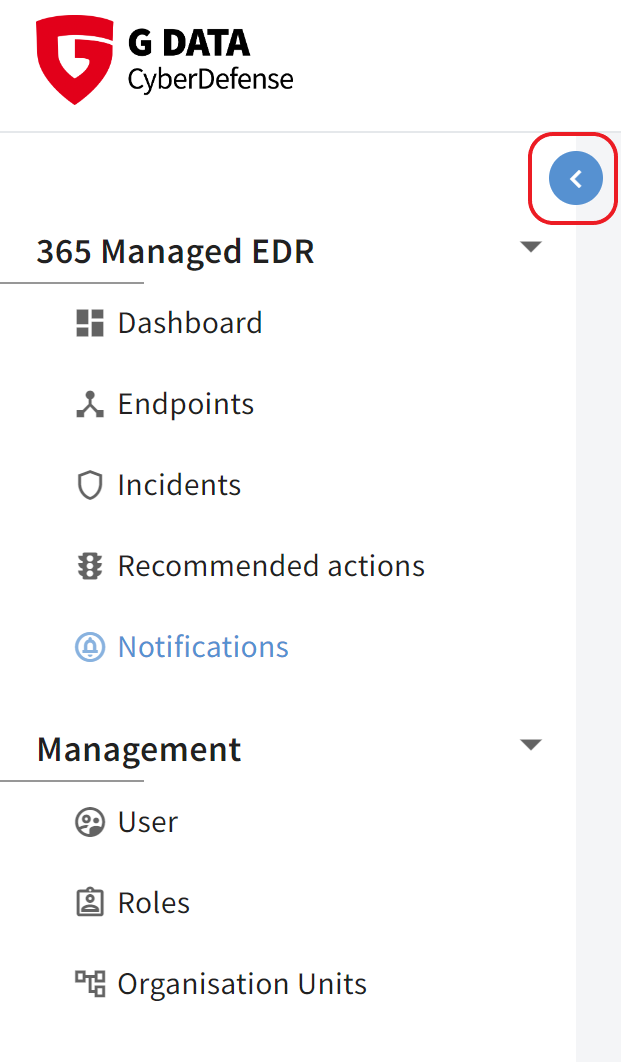
In addition, it is now possible to collapse the left tree structure.
If the mouse pointer is located in the left window frame, the designated icon appears.
Show screenshot
|