G DATA MXDR
Creating and Editing Roles
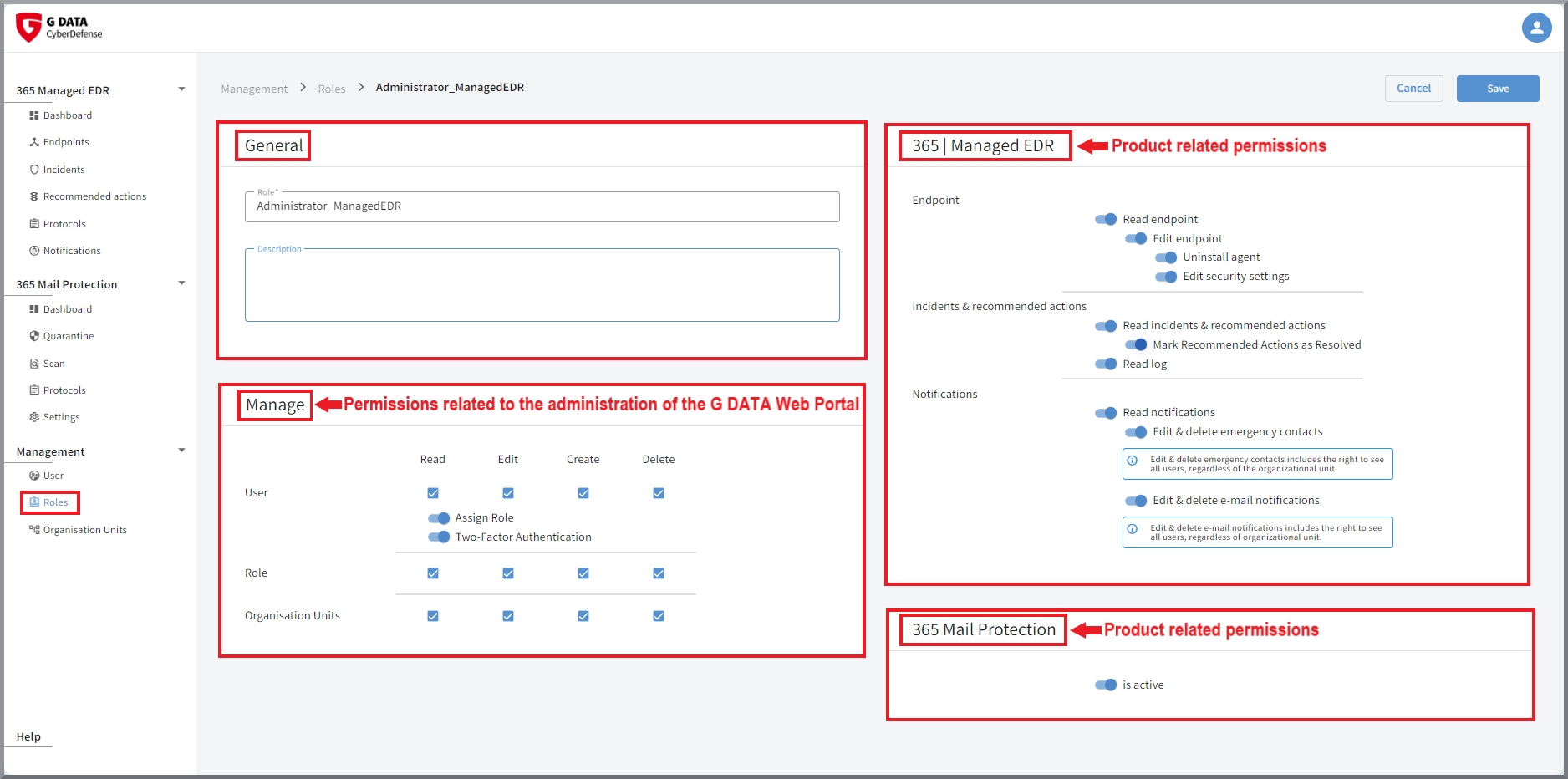
The window has the same layout for both creating new roles and editing roles. Roles and permissions can be created and edited for both core functions and individual products.
When creating a role, you can assign a name with up to 16 characters.

Select or clear the checkboxes to set permissions.
Permissions can be selected directly for parent categories and are granted for the corresponding sections.
If all permissions for a parent category are granted, that category is marked with a check mark.

If only some permissions in a parent category are selected, the checkbox displays a
horizontal line.

If the checkbox  is not selected, the corresponding permission is not granted.
If a permission checkbox appears grayed out, that permission can only be granted after a prerequisite permission has been granted. For example, permission to delete users cannot be granted unless the role has permission to view users.
| Only grant permission to assign roles to roles with full permissions for all products. Otherwise, a user assigned a role with restricted permissions could grant themselves all other permissions without approval. For example, if a role allows users to manage the portal but not view Endpoints or mark Recommended Actions as completed, users assigned that role should not be allowed to grant themselves the missing permissions. |
Core Functions
Core Functions
The core functions support the general operation of the web portal and provide functions for User Management, user roles, and organization. The available permissions are listed below by category.
User Management
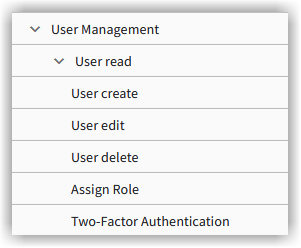
View users |
Allows viewing users. |
Create user accounts |
Allows creating new users. |
Edit users |
Allows editing existing users. |
Delete users |
Allows deleting existing users. |
Assign roles |
Allows assigning a role to a user. |
Two-factor authentication |
The permission to enable or disable two-factor authentication for a user. |
User roles
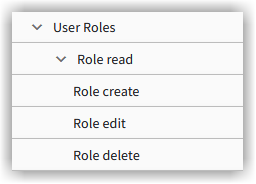
View roles |
Allows viewing roles. |
Create roles |
Allows creating new roles. |
Edit role |
Allows editing existing roles. |
Delete role |
Allows deleting existing roles. |
Organization
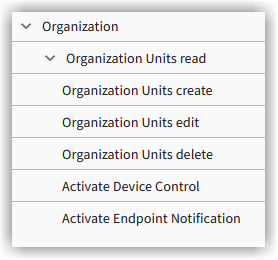
View Organization Units |
Permission to view Organization Units |
Create Organization Units |
Allows viewing Organization Units. |
Edit Organization Units |
Allows editing existing Organization Units. |
Delete Organization Units |
Allows deleting existing Organization Units. |
Enable Device Control |
Allows enabling Device Control. |
Enable Endpoint notifications |
Allows assignment of Endpoint notifications. |
Product-specific settings
Depending on the product, additional product-specific sections may be available.
Permissions configuration G DATA MXDR
Specify which configuration permissions the role receives for G DATA MXDR.
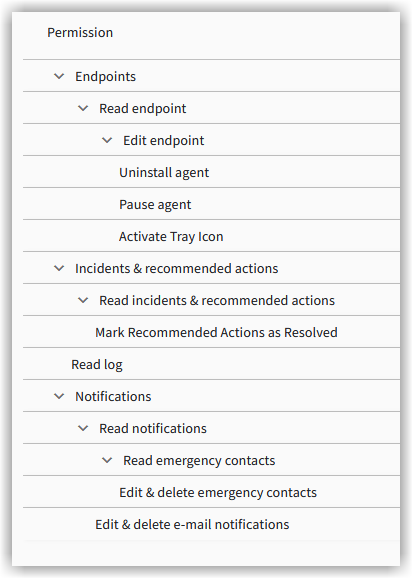
Endpoint management
View and edit |
Determines whether users with this role can view and/or edit Endpoints. |
||
Agent configuration options |
Removing the Endpoint from the portal requires permission to uninstall Agents from Endpoints. When you start uninstalling the Agent, you can choose whether to also remove the Endpoint from the portal. Users authorized to uninstall Agents can still remove the Endpoint from G DATA Web Portal at a later time.
|
||
Pause Agent |
Here you can configure whether users with this role can pause the Agent on Endpoints for 15 minutes.
|
||
Enable tray icon |
Here you can configure whether users with this role can display the Agent’s tray icon on Endpoints. |
Incidents & Recommended Actions
View Incidents & Recommended Actions |
Here you specify whether users with this role can view Incidents and Recommended Actions. |
Mark Recommended Actions as completed |
Here you specify whether users assigned to this role may mark Recommended Actions as completed. This option is only available if the role has permission to view Recommended Actions. |
View logs |
Here you specify whether users assigned to this role can see the Logs view. |
Notifications
Receive notifications |
Toggle to control whether users assigned to this role receive notifications. |
||
Add & remove emergency contacts |
Here you can specify whether users assigned to this role can add users to and remove users from the emergency contact list.
|
||
Edit & delete email notification recipients |
Determines whether users with this role can add users to and remove users from the list of email notification recipients. They can also configure the email language and the types of notification events.
|
Permissions configuration for device configuration
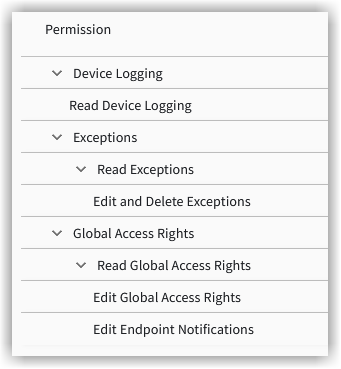
If you use the product G DATA Policy Control, you can specify here which changes users assigned this role can make in the product.
View Device Logging |
Determines whether users with this role can view Device Logging. |
View Exclusions |
Allows viewing Exclusions. |
Edit and delete Exclusions |
Allows editing and deleting Exclusions |
Global access rules |
Specifies whether users with this role can view and/or edit global access rules and edit the notifications displayed on Endpoints. |
Permissions configuration {mailProt}
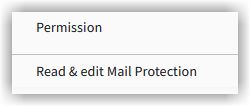
If you use {mailProt}, you can specify here whether the product is displayed in G DATA Web Portal for users assigned this role.
Permissions configuration G DATA Mobile Device Management
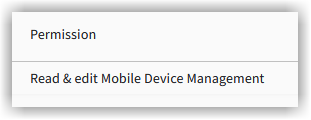
If you use G DATA Mobile Device Management, you can specify here whether the product is displayed in G DATA Web Portal for users assigned this role.