G DATA MXDR
Incidents
The G DATA Agent is equipped with a range of sensors that monitor your systems at different points and in a wide variety of ways. Incidents are events that are generated by one or more Alerts from the sensors.
If one of these sensors detects a suspicious activity, it generates an alert and sends it to our backup systems. Various alerts that have been identified as related are combined into an incident.
In the portal under G DATA MXDR → Incidents, you can then see the incident with its associated alerts, as well as an indication of the Impact this incident has on you.
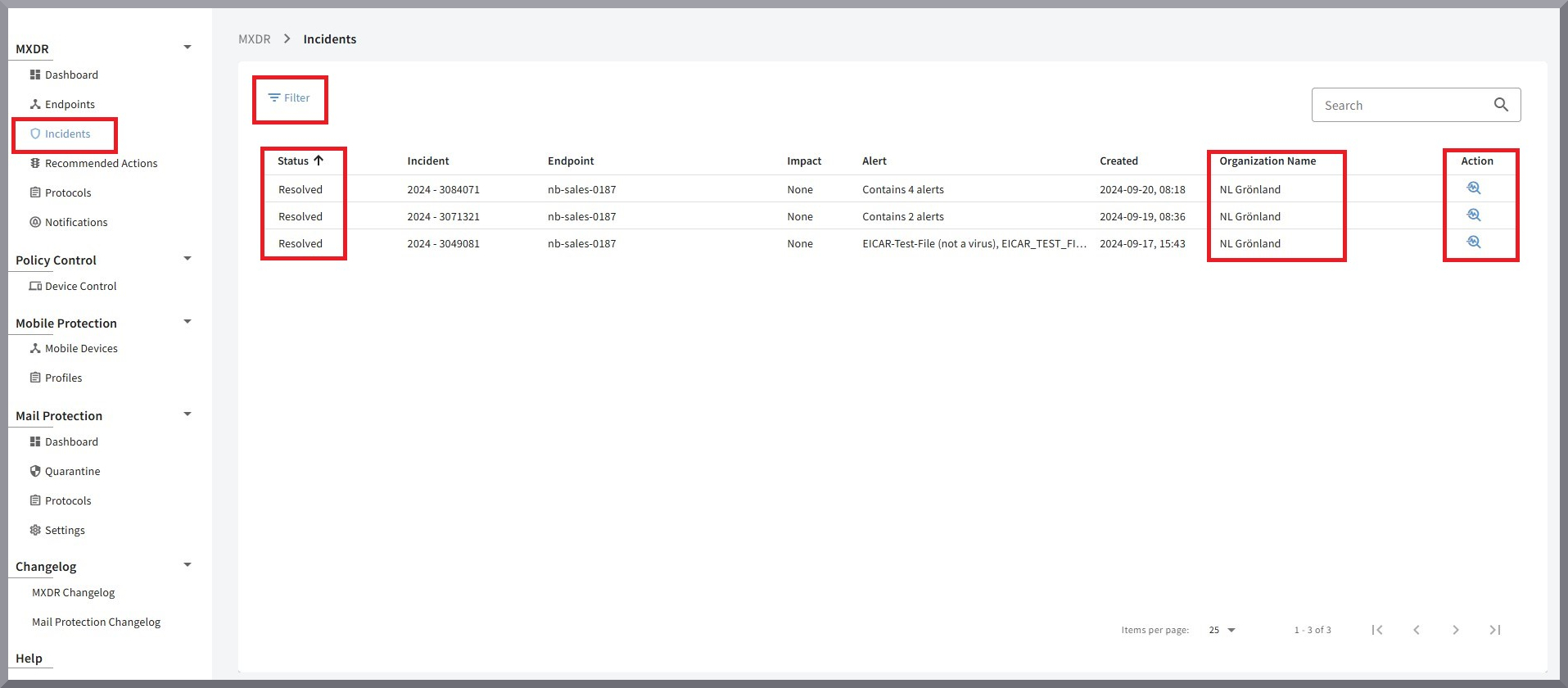
Status |
Status of the incident. Detailed information can be found here. |
Incident |
Name of the incident. |
Endpoint |
The affected endpoint. |
Impact |
Impact of the incident. |
Alert |
The alerts associated with the incident; details are included in the incident overview. |
Created |
Exact timestamp of when the incident was created. |
Organization Unit |
The specific Organization Unit in whose context the incident was created. |
Action |
Clicking the magnifying glass Here you can see a summary of all details about the status of the incident. |

|
Above the list of incidents, you can click Filter to filter the entries based on how much attention they require from you. 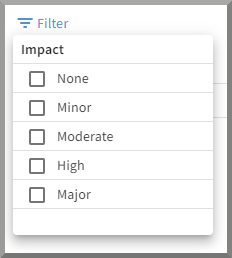
In addition, the incidents can be sorted (by clicking the respective column label) by the time they were created or by impact. |