G DATA 365 | Mail Protection
The quarantine
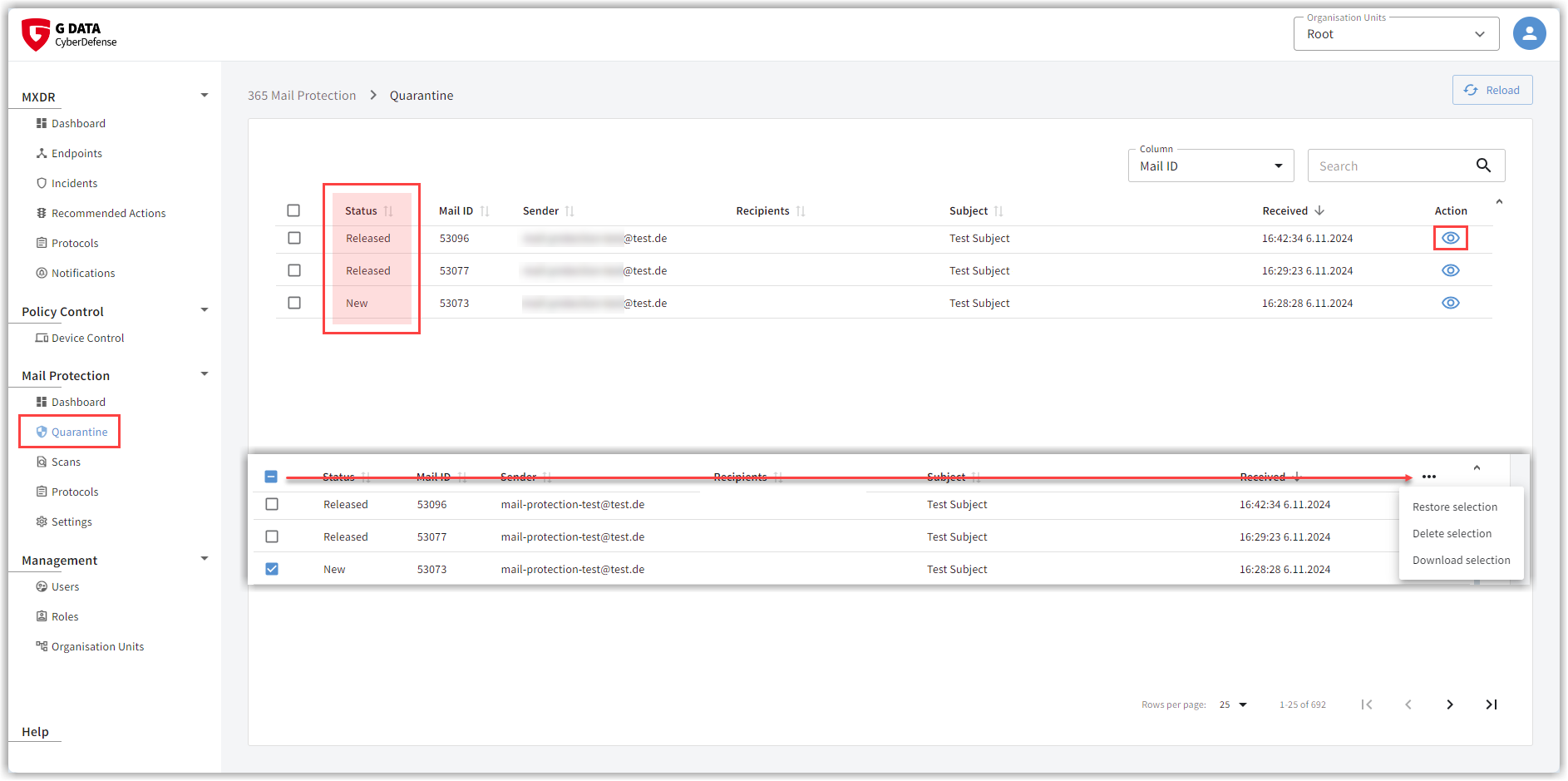
The quarantine lists infected emails.
At a glance, you can see the most important email information, including
-
the status,
-
the message ID,
-
the sender,
-
the recipient,
-
the subject,
-
as well as the received date.
If an email was moved to quarantine, parts of the email were detected as infected—either upon email receipt or during a rescan. If you specified in the server settings that you also want to manage the quarantine of Microsoft Exchange Online via our G DATA Web Portal, those emails are also included in the list.
You have several options for handling these emails in quarantine.
Delete emails
You can remove a single email from quarantine via the delete icon
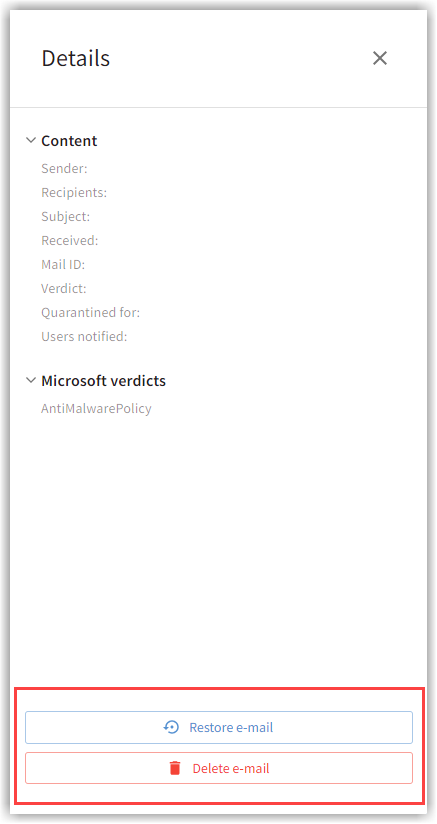
 in the email action bar or by clicking the Delete email button on the email details page. The details pane opens when you click the email list row.
Screenshots anzeigen
Multiple emails can be deleted by selecting the emails using checkboxes and choosing Delete selection from the menu. The menu opens via the three-dot menu that appears as soon as you select a checkbox.
Screenshots anzeigen

Automatic deletion of older emails occurs after 30 days, unless you have specified a different retention period for emails in quarantine in the Behavior menu.
View email
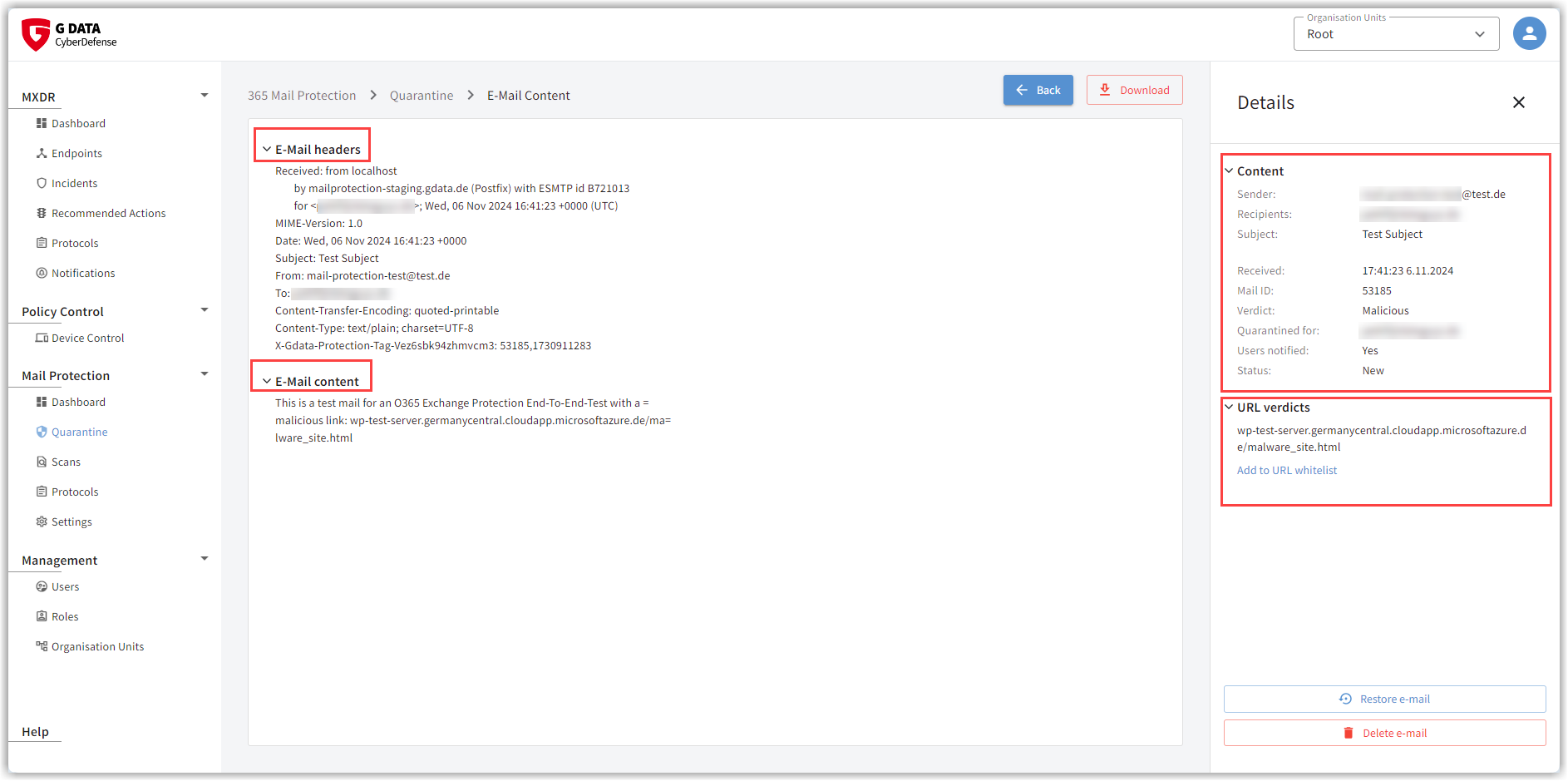
Emails in this list can be viewed by clicking  .
On the left side, you will find the email header and content.
.
On the left side, you will find the email header and content.
The details pane opens on the right edge of the screen. Here you can see which email component triggered the protection components of G DATA 365 | Mail Protection (attachment, URL, etc.). The information from the list row is also displayed here again.
Screenshots anzeigen
Release emails
Emails moved to quarantine can be released to the recipients again. In this case, the recipient receives
a copy of the email addressed to them. The email also remains in quarantine until it is deleted automatically or
manually. If problems occur when delivering released emails from quarantine,
emails can also be released multiple times.
You can see whether an email has already been released once in the Status column.
| We advise you to proceed with caution when deciding to forward an email reported as infected. Never release an email based solely on assumptions. The mere fact that you know the sender of an email or a specific website does not indicate a false positive. It can never be ruled out that email senders or website operators are themselves victims of a virus outbreak and unknowingly continue to spread the infection. When in doubt, download the email (see the Download email section) and have the Detection reviewed by us! |
You can deliver a single email to the recipient via the release icon
 in the email action bar or by clicking the Release email button on the email details page. The details pane opens when you click the email list row.
Screenshots anzeigen
Multiple emails can be released to the recipients by selecting the emails using checkboxes and choosing Release selection. The menu opens via the three-dot menu that appears as soon as you select a checkbox.
Screenshots anzeigen
Download email
You can download one or more emails, for example, to contact us regarding this email.
| The download is provided in a password-protected ZIP archive. The password is already set to what you need for uploading via our website. It is: "infected". |
You can download a single email via the download icon
 in the email action bar or by
clicking the Download button on the email details page. The details pane opens when you click the email list row.
in the email action bar or by
clicking the Download button on the email details page. The details pane opens when you click the email list row.
Screenshots anzeigen

If you would like to download multiple emails, select the emails using checkboxes and choose Download selection from the menu. The menu opens via the three-dot menu that appears as soon as you select a checkbox.
Screenshots anzeigen