G DATA 365 | Mail Protection
How does search work in the G DATA 365 | Mail Protection web portal?
Previously, you used a search field in the G DATA 365 | Mail Protection portal interface.
With the update of February 18, 2025, this search field was replaced by a column search.
View screenshot

The column search (filter)
On the following pages of the G DATA 365 | Mail Protection portal interface, you can search within the records:
On each of these pages, click the filter icon above the header row
 .
.
You will then see a search field below each column heading to search within the corresponding column.
See which columns you can search.
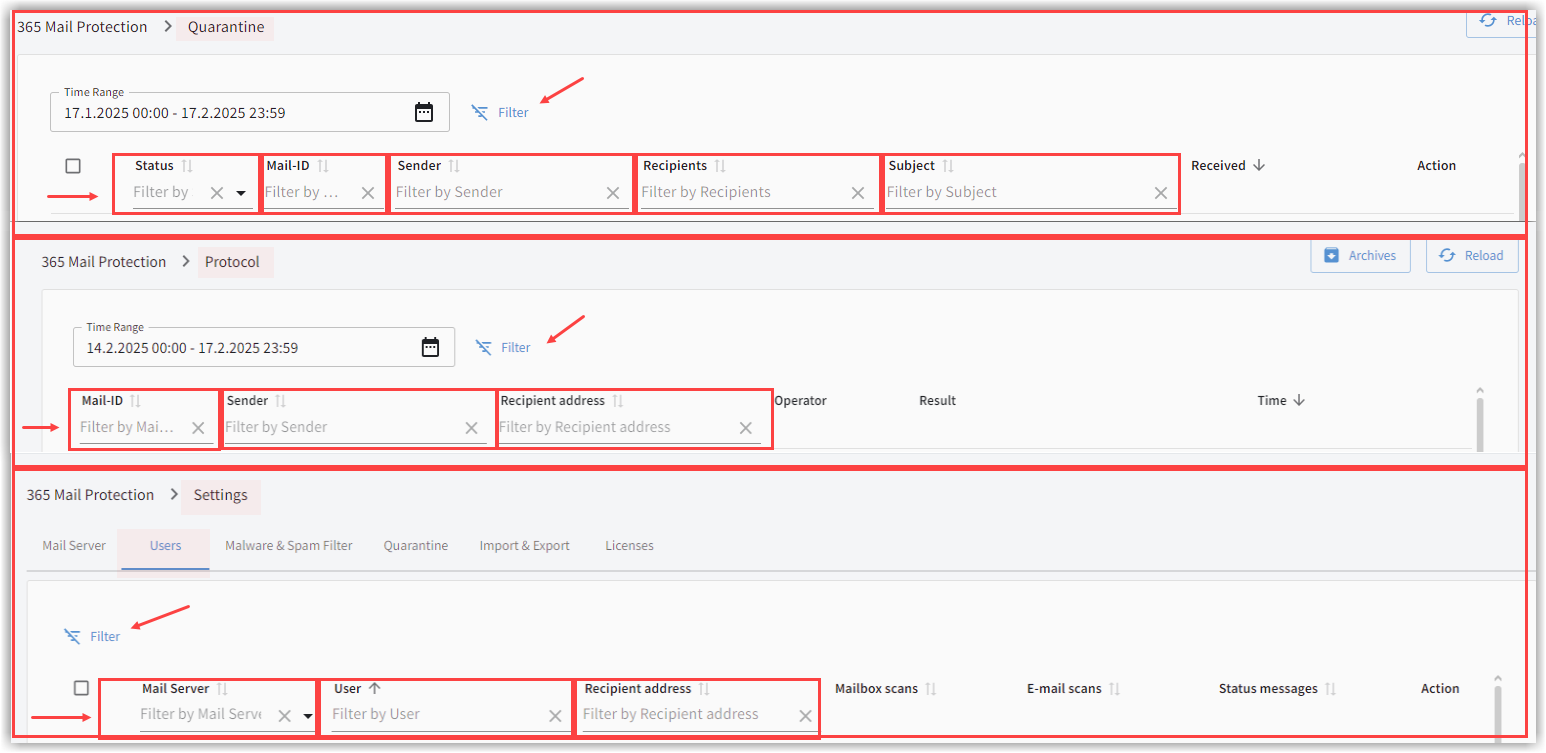
The search criteria can be combined. For example, in Quarantine you can search for a specific subject for a specific recipient by using the two columns Recipient and Subject.
| New: In Logs, you can now track a MailID. The search results also display email messages that have a different MailID but are related to the MailID you searched for. |
| Partial searches are not supported. Please enter only complete values in the search fields. |