G DATA 365 | Mail Protection
Logs for G DATA 365 | Mail Protection
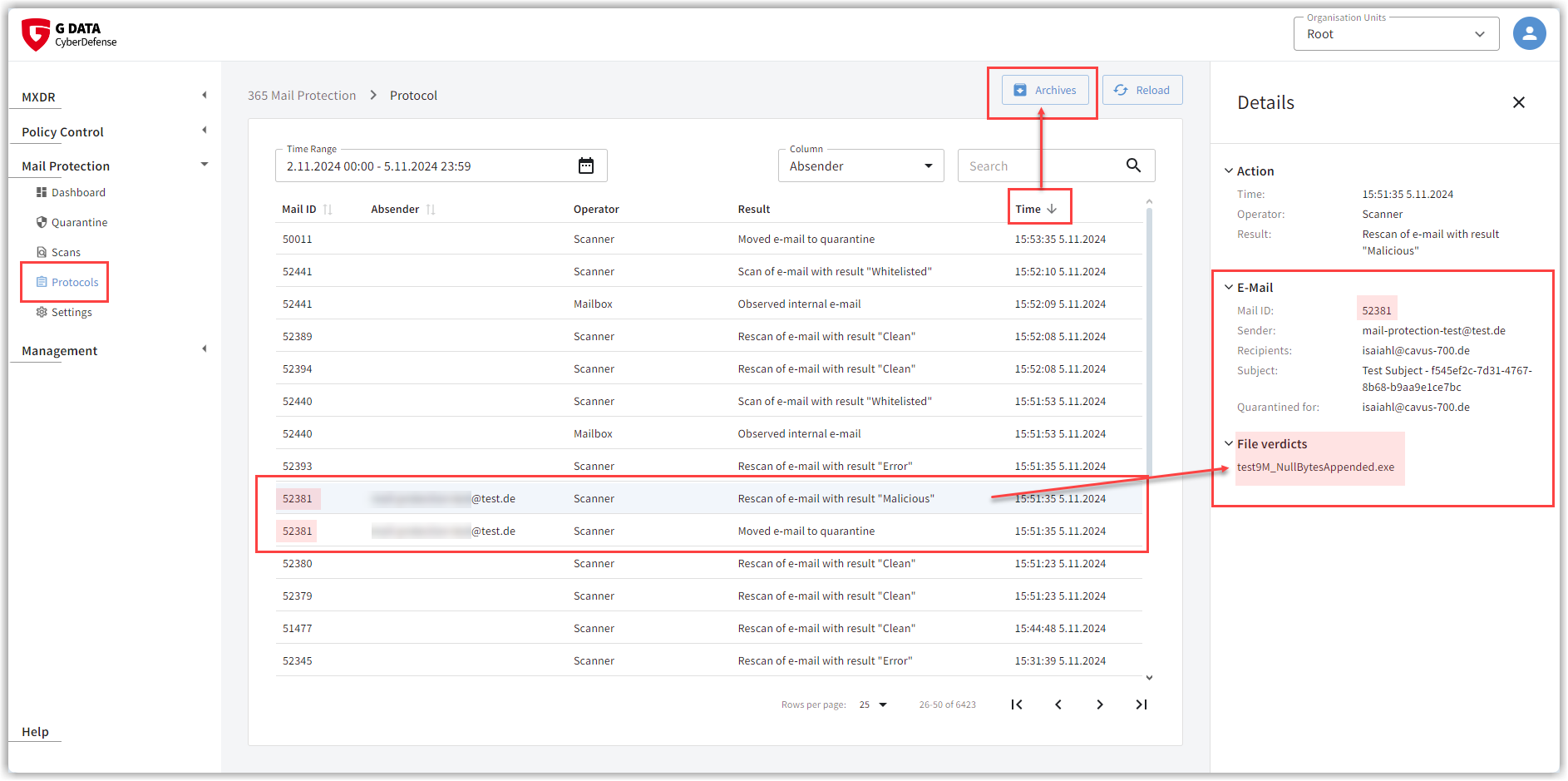
The following G DATA 365 | Mail Protection actions are logged:
-
incoming emails and their classification.
Each incoming email is assigned a sequential number. In the log, you can use this number to see whether the email was forwarded to the recipient’s mailbox, moved to the recipient’s Junk folder as spam, or moved to quarantine as an infected email (see screenshot). -
Scanning.
Each email that was forwarded to the recipient’s mailbox is rechecked in the mailbox at irregular intervals for several more days (rescan). In the logs, you will find all rescans, as well as scans that were started manually by a user. -
Changes to the settings.
Every change to the settings made by users is logged.
By clicking a single row, you receive additional information about the affected email and (in the rows created by the scanner) which Detection took place.
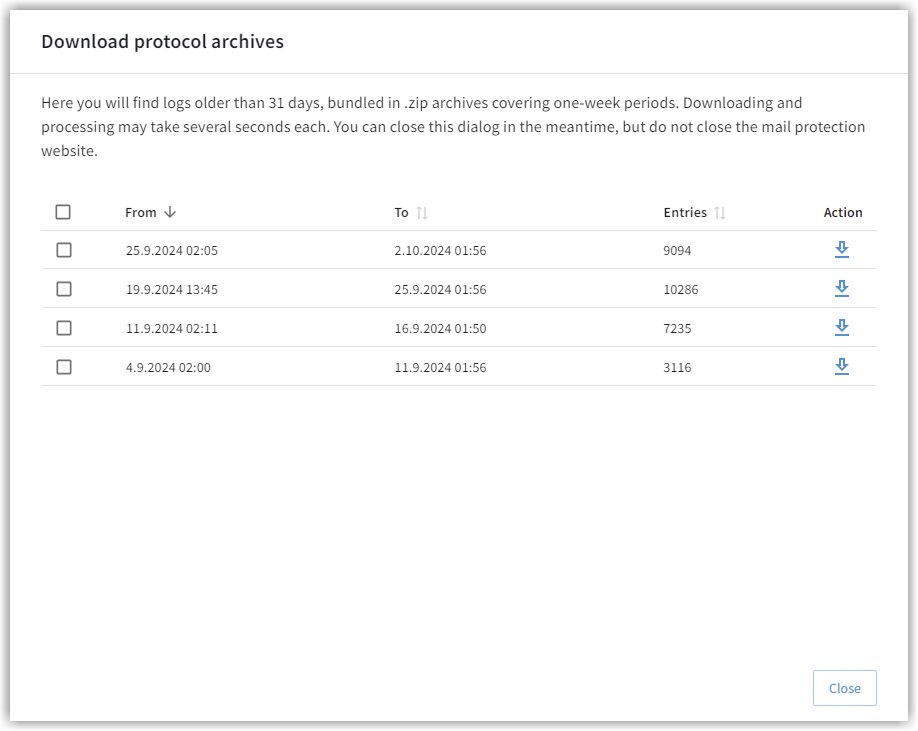
The entries are retained for 30 days. After that, they are bundled by week and stored in *.zip archives.
Using the Archive button, you can download the desired log periods if needed.
| It is possible that an email that was moved to the Junk folder appears multiple times in the log due to a rescan. |
You can sort the columns in ascending or descending order using an arrow next to the column header.