G DATA Mobile Device Management: Recommended Actions
This article describes the Recommended Actions
Recommended Actions replace the reports you were previously familiar with. As soon as a Recommended Action is available, the system icon in the device overview (Mobile Devices) displays a red dot.
Click the relevant device to find the Recommended Action under Status.
When are Recommended Actions triggered?
The following actions trigger Recommended Actions:
-
If a device does not check in to G DATA Mobile Device Management for an extended period (one week).
-
Upon Detection of a malicious app.
-
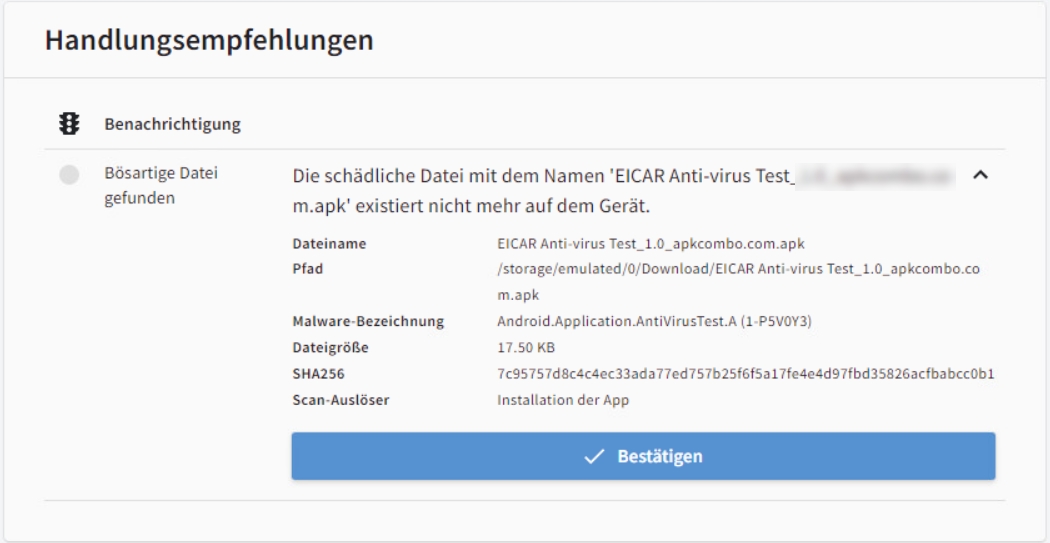
Upon Detection of a malicious file.
-
If a SIM card change is detected (if this is a known action, the administrator can simply acknowledge it).
-
If rooting of devices is prohibited by policy via policy prohibits rooting of devices, rooted devices trigger an Alert.
How are Recommended Actions handled?
As soon as a Recommended Action is available, you will see a red dot next to the operating system icon in the device list. Click the device to view the Recommended Action under Status.
If a virus detection is found, all information about the detection is displayed here (including app name, virus name, detection date, etc.). You can delete the file directly here. If the end user has already deleted the file, you will be informed.
The process is completed when the administrator confirms it.