G DATA XDR
Why should notifications from the G DATA Agent not be turned off?
The G DATA Agent uses the Windows Notification Service. This may cause the Windows Notification Service to ask you—if no notifications have been sent by the G DATA Agent for a long time—whether you would still like to receive notifications from the agent.
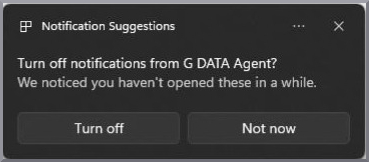
You should not turn this off under any circumstances. If you turn this off, you will no longer receive notifications about potential detections on your system! In addition, when using G DATA Device Control, no notifications can be sent either. Unfortunately, it is currently not possible to configure the Windows Notification Service so that this message is not displayed from time to time while you still receive important notifications from the G DATA Agent.
| The G DATA Agent is only registered in the notification service once it has sent the first notification. If there have never been any detections on your system, and you have not yet received any notification about the agent even when using our G DATA Device Control, it will not appear in the overview under "System → Notifications". |
Re-enable notifications from the G DATA Agent
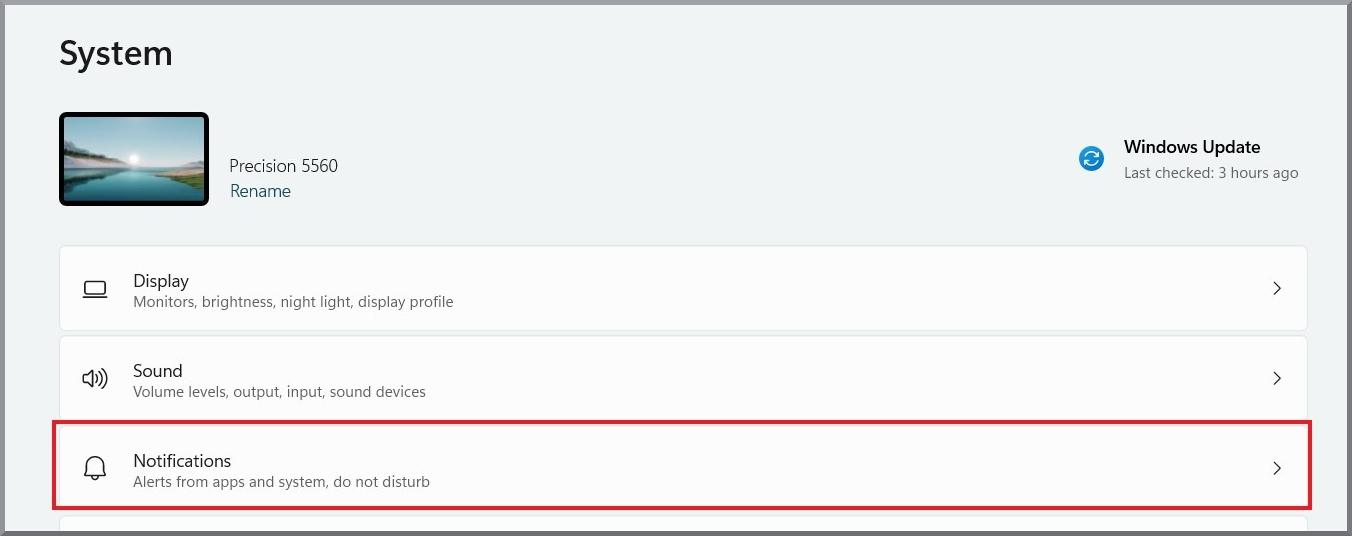
If you would like to ensure that notifications from the G DATA Agent are enabled, you can check this in Settings. Open Settings and navigate to "Notifications".
Screenshot anzeigen
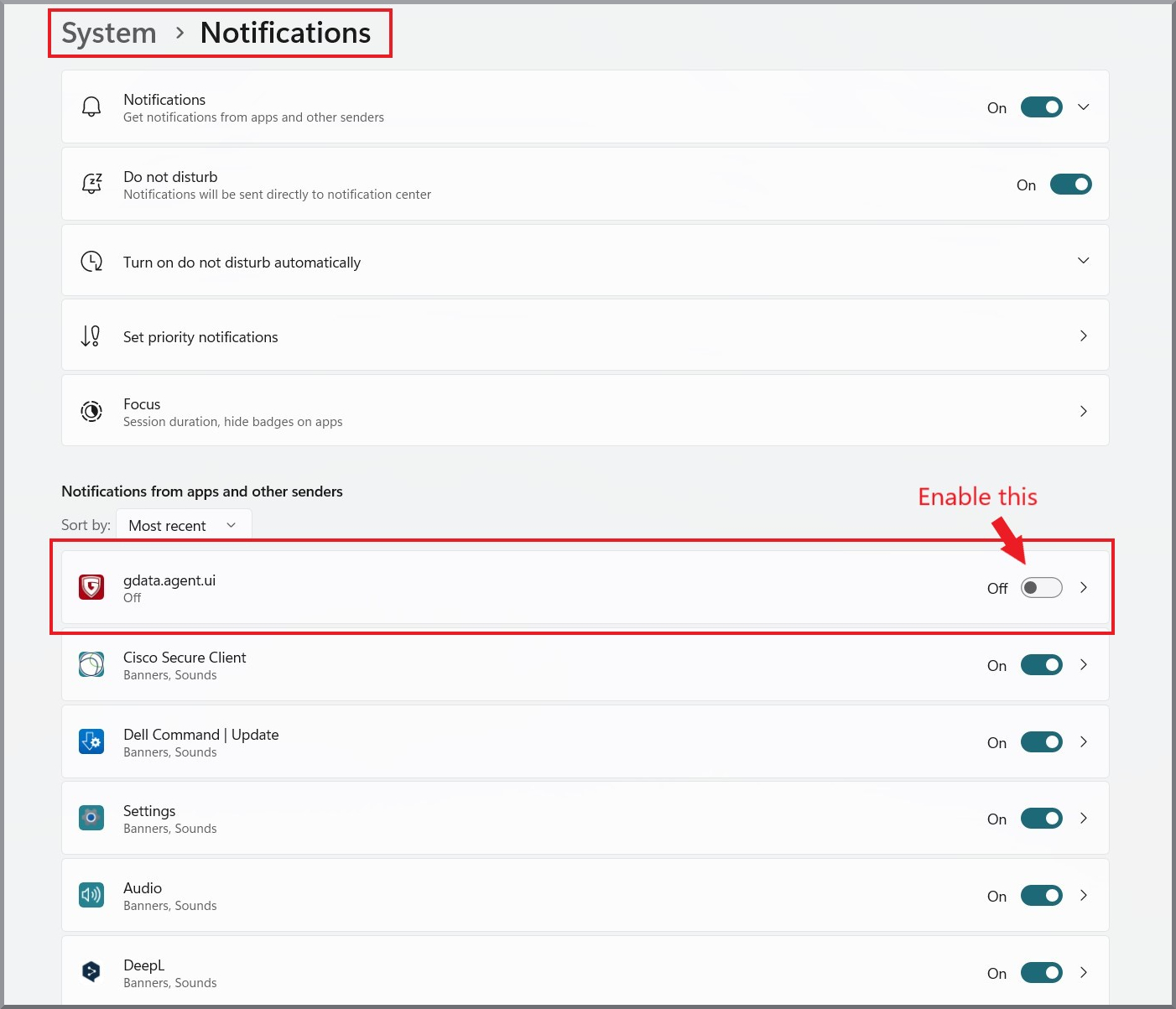
In the app list, ensure that notifications for "G DATA Agent" are set to On. Otherwise, enable them.
Screenshot anzeigen