G DATA XDR
How can I ensure that a system is protected by G DATA XDR?
A system tray icon can be displayed on the agents. This system tray icon is informational and indicates that
the respective system is actively protected.
Currently, no actions can be performed via the system tray icon.

You can enable the display of the system tray icon via the administration of Organization Units.
Special cases
There are some configurations in which the system tray icon is not displayed:
-
Windows Server 2016/2019/2022 & Windows Server 2016/2019/2022 Datacenter as a terminal server
-
Windows Server 2016/2019/2022 Datacenter with an installation without a GUI
-
Windows Core Server & Windows Nano Server
-
Citrix XenApp
|
Please note that, depending on the connection, the system tray icon may also not be displayed in Hyper-V environments. |
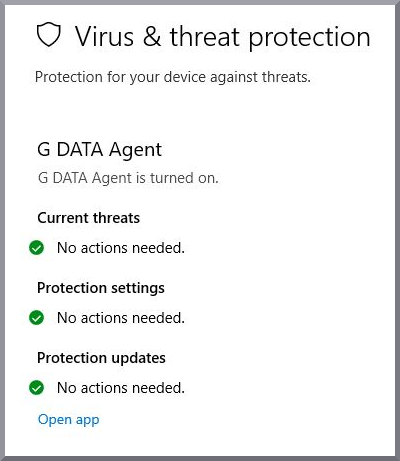
If the system tray icon is not displayed in the environment in use, but you would like to ensure that the system is protected, you can check at any time in Windows Security under "Virus & threat protection". If the G DATA Agent is displayed there, your system is protected.