G DATA XDR
Move an Endpoint to another Organization Unit
1. |
Under MXDR > Endpoints, search for the endpoint that you want to move. |
||
2. |
Click the endpoint once so that the details for this endpoint open in the details pane on the right side of the window. Show screenshot.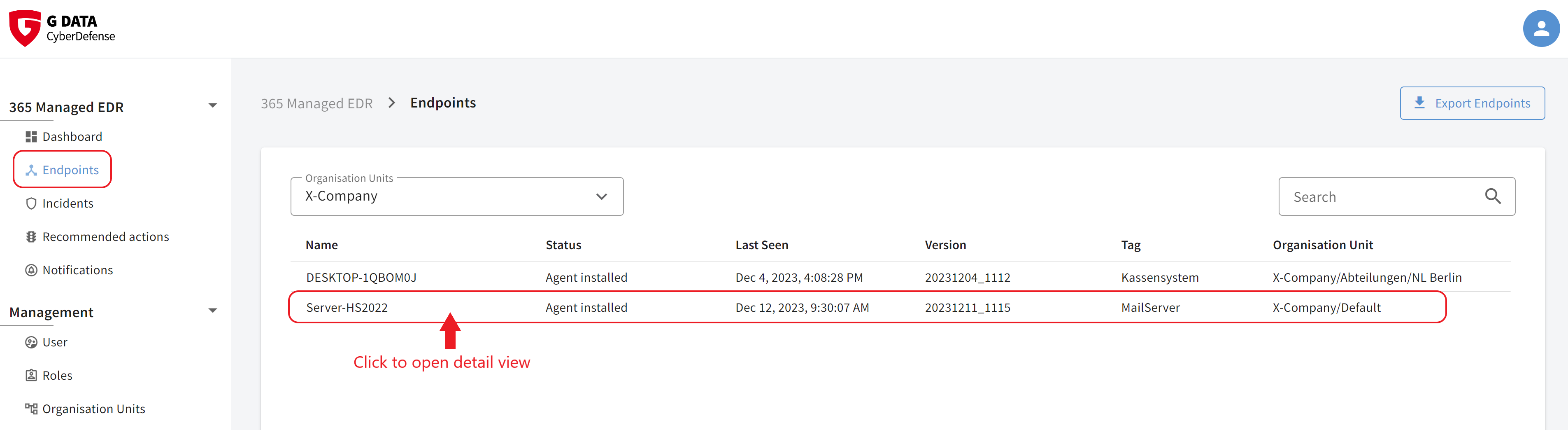
|
||
3. |
Click Move. Show screenshot.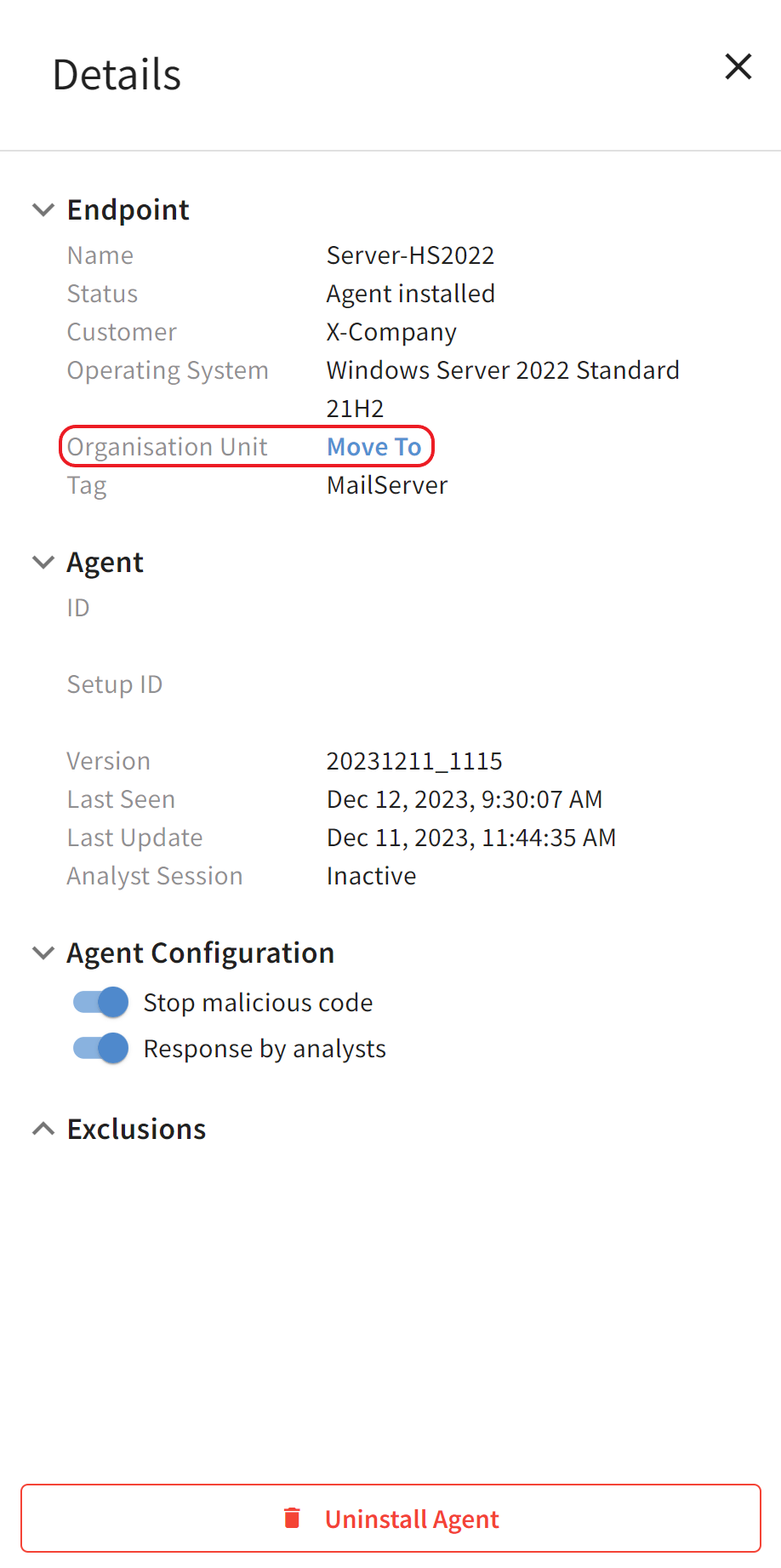
|
||
4. |
Select the Organization Unit to which you want to move the endpoint and click Move.
Show screenshot.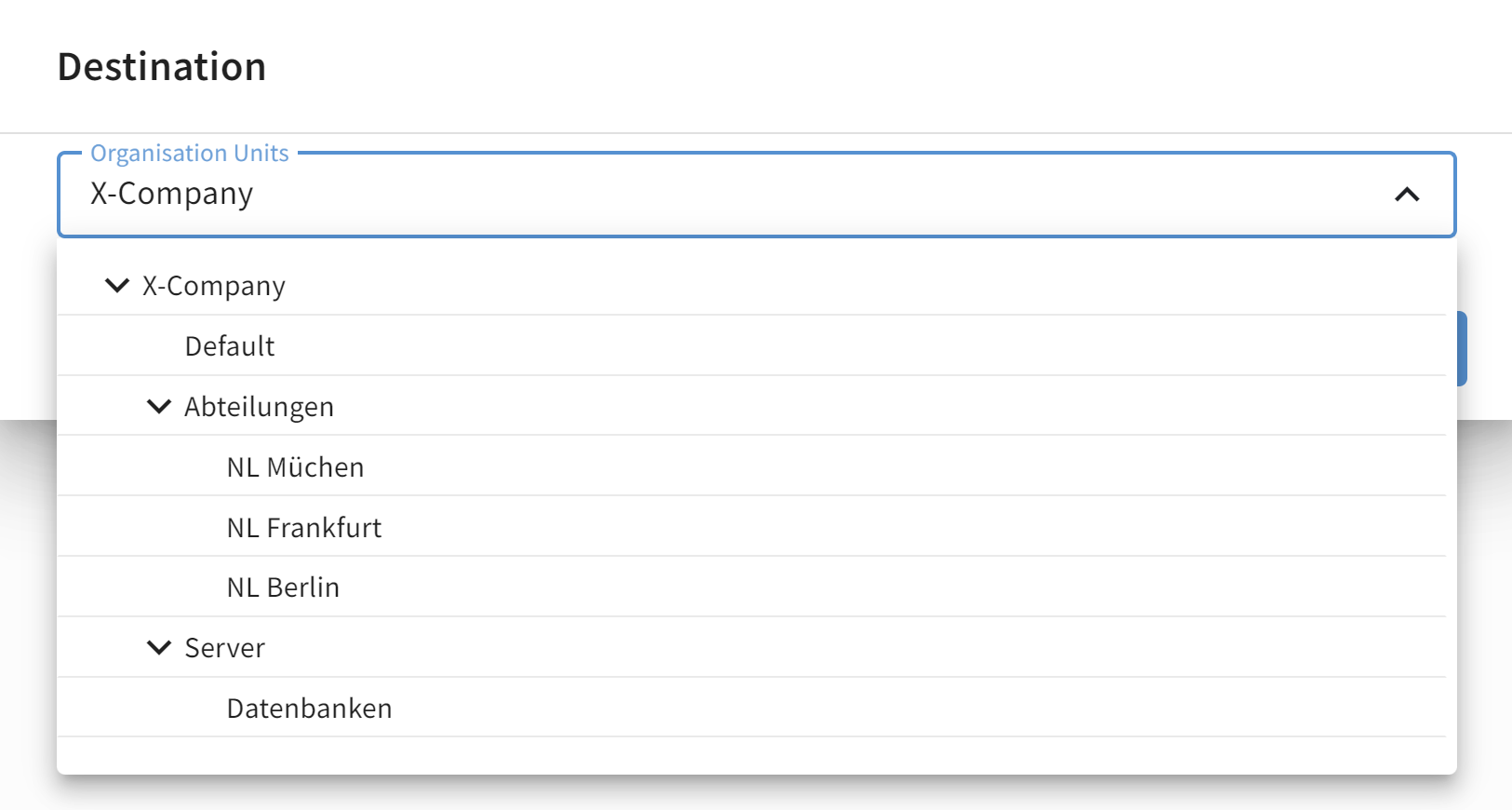
|
The endpoint is now located in the Organization Unit you selected. Changes are saved automatically.