G DATA Mobile Device Management: Emergency Actions
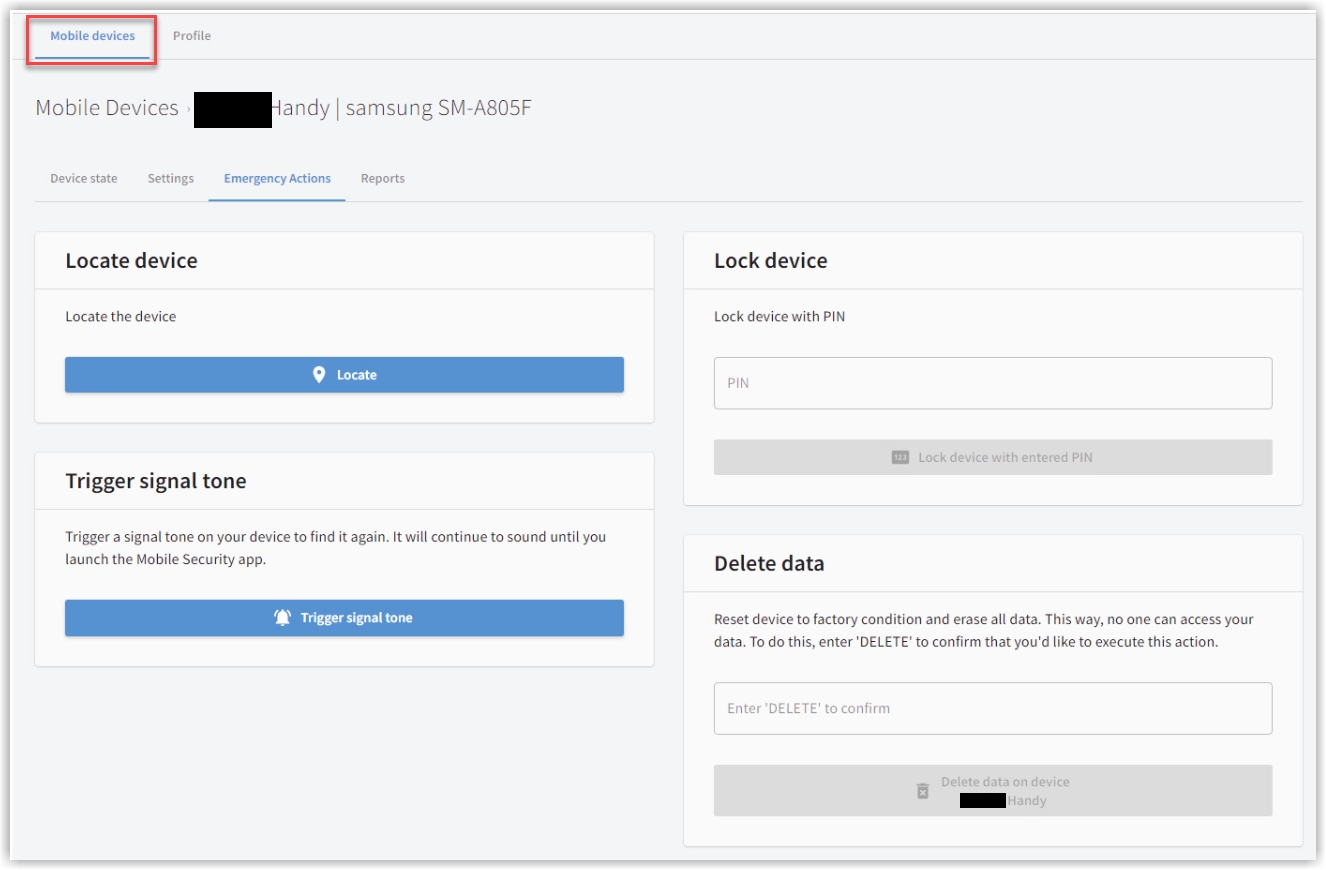
The following article explains the possible emergency actions in the G DATA Mobile Device Management
Locate Device
With this function, you can send a location command. Provided that location services are enabled on the device, you will then see a Google map view in the Status showing exactly where the device is located.
Trigger Alarm Sound
This function is not tied to the device’s volume settings. Even if ringtones are disabled on the device, a loud alarm sound will start after the command is sent. It will not stop until the G DATA Endpoint Security Android App is opened on the device.
A thief without the PIN cannot turn off the sound.
Lock Screen
Assign a 4-digit numeric PIN here and send it to the device. The screen will be locked immediately and can no longer be unlocked without this PIN.
| This PIN is intended for one-time use and is not stored. If the device is later recovered and you no longer have the PIN, you can send a new PIN to the device. This overwrites the old PIN. This allows the device to be unlocked again. |
| This function is only available for Android devices. |
Wipe Data
If the device is definitely in the wrong hands, you can use this function to reset the device to factory settings. This will delete all data, such as apps, contacts, photos, and other files.
| With this step, you also remove the G DATA Endpoint Security Android App. This means that location tracking is no longer possible. Any PIN that may have been set will then no longer lock the screen. From this point on, the device will also no longer check in with G DATA Mobile Device Management. |