G DATA Mail Protection
G DATA Mail Protection registreren als bedrijfstoepassing in Microsoft 365
Zo voegt u G DATA Mail Protection als bedrijfstoepassing toe in uw Microsoft 365 Entra Center:
1. |
Open uw Entra-portal en meld u aan. |
2. |
Selecteer Toepassingen en App-registraties. Schermafbeelding weergeven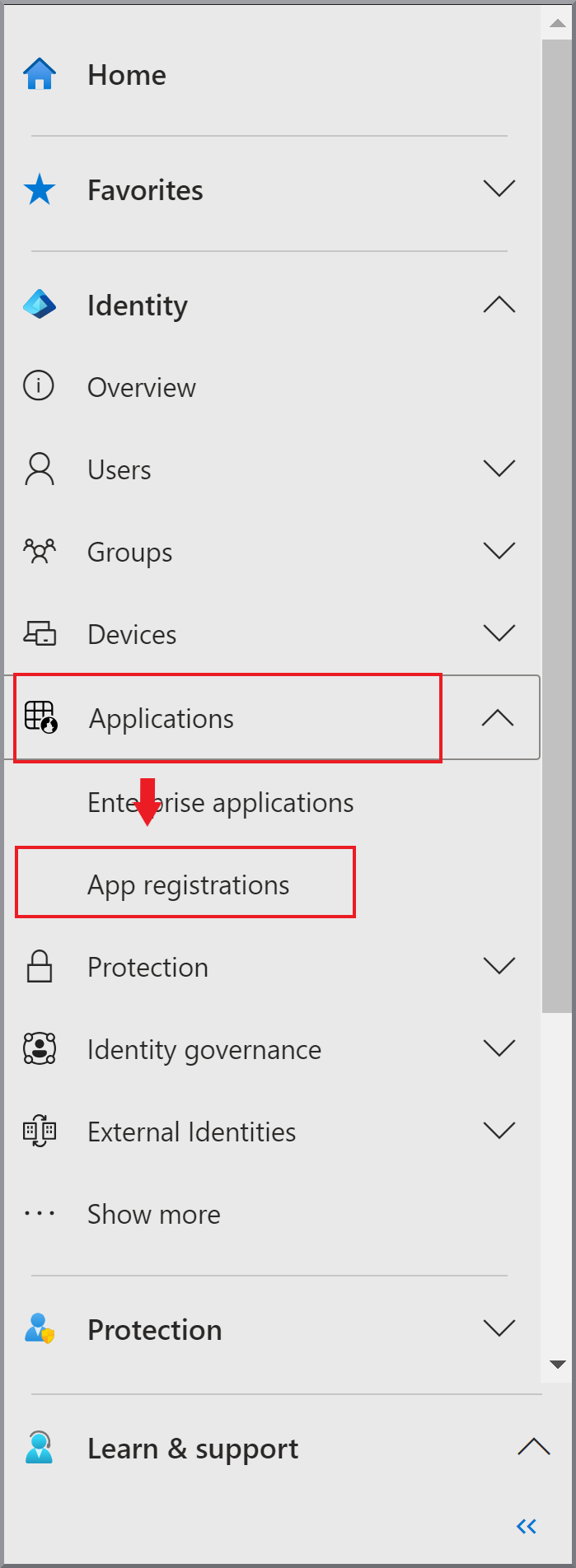
|
3. |
Klik op + Nieuwe registratie. |
4. |
Voer de naam G DATA Mail Protection in en selecteer Schermafbeelding weergeven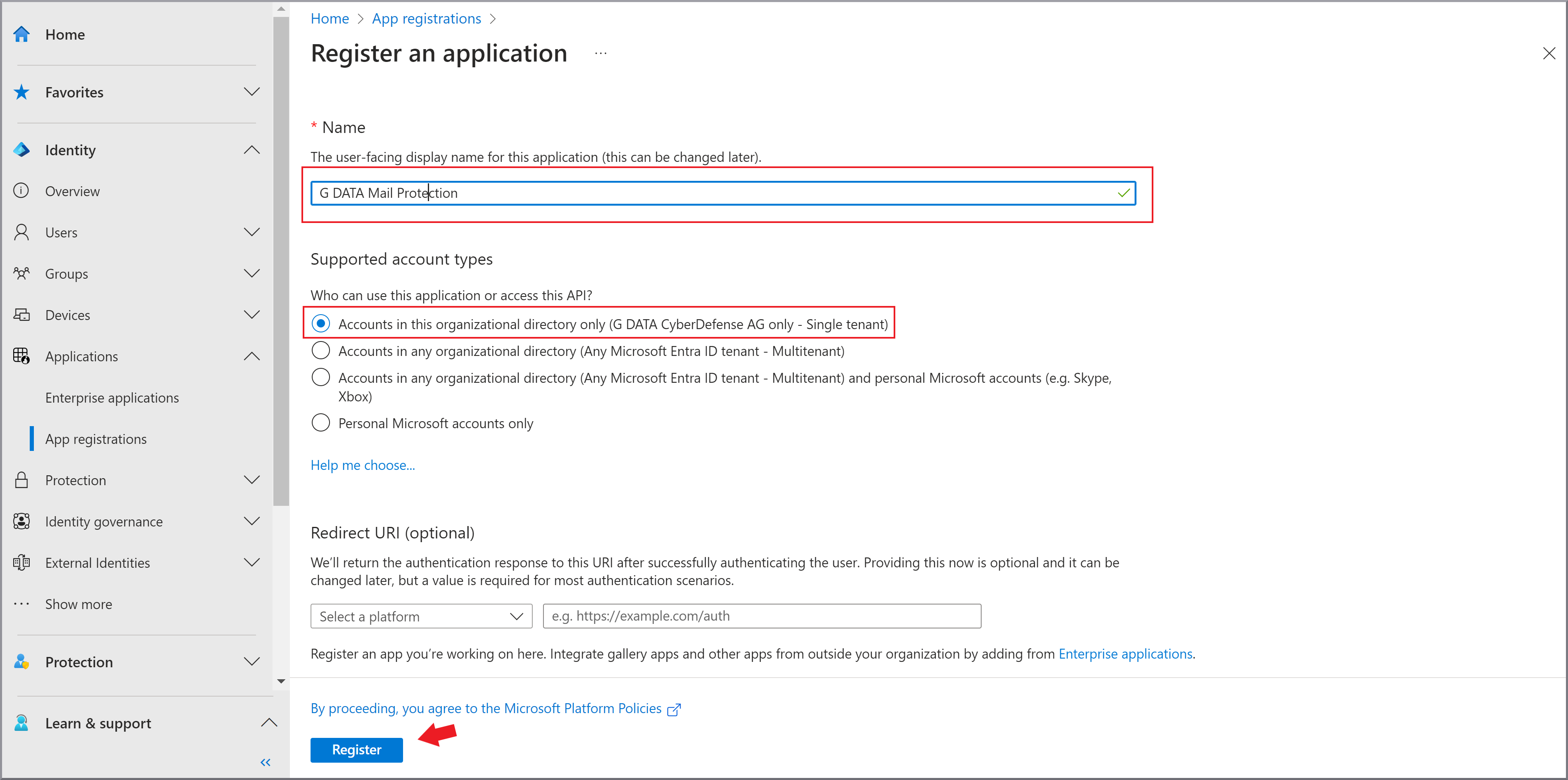
|
5. |
Klik op Registreren |
6. |
Upload een certificaat waarmee G DATA Mail Protection zich bij Microsoft kan aanmelden. |