G DATA Mail Protection
Inscrire G DATA Mail Protection en tant qu’application d’entreprise dans Microsoft 365
Pour ajouter G DATA Mail Protection en tant qu’application d’entreprise dans votre centre d’administration Microsoft Entra pour Microsoft 365 :
1. |
Ouvrez votre portail Entra et connectez-vous. |
2. |
Sélectionnez Applications, puis Inscriptions d’applications. Afficher la capture d’écran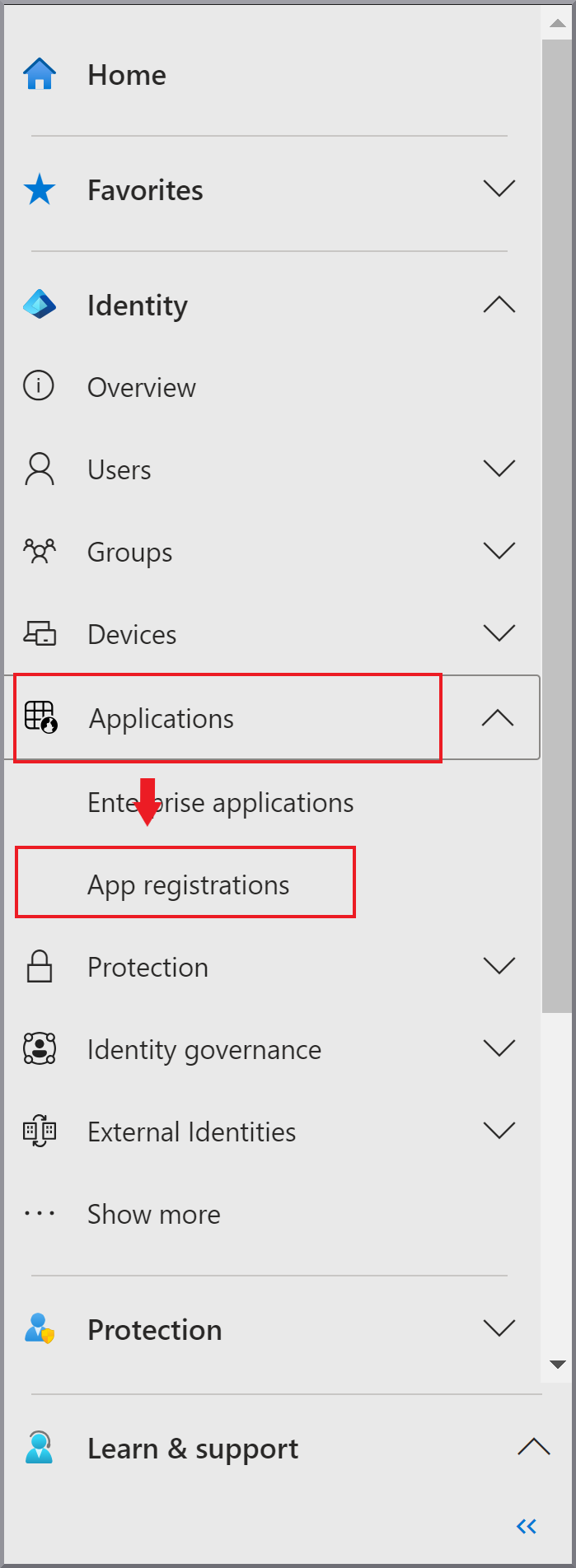
|
3. |
Cliquez sur + Nouvelle inscription. |
4. |
Saisissez le nom G DATA Mail Protection et sélectionnez Afficher la capture d’écran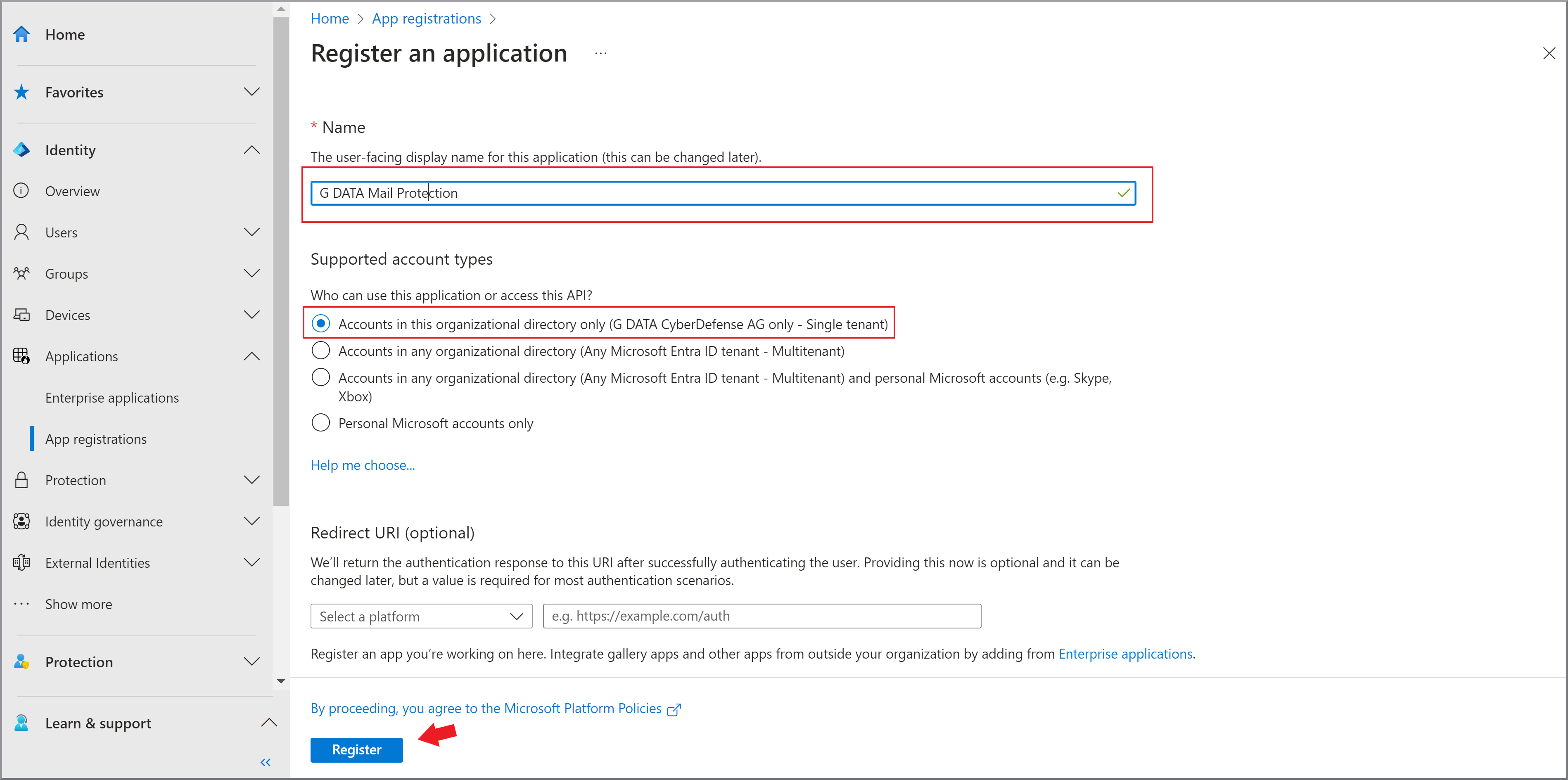
|
5. |
Cliquez sur S’inscrire |
6. |
Chargez un certificat pour l’authentification de G DATA Mail Protection auprès de Microsoft. |