The Devices View
This is the initial view when you sign in to the G DATA Mobile Device Management web portal. It provides a detailed overview of all devices already added to the system and lets you add new devices.
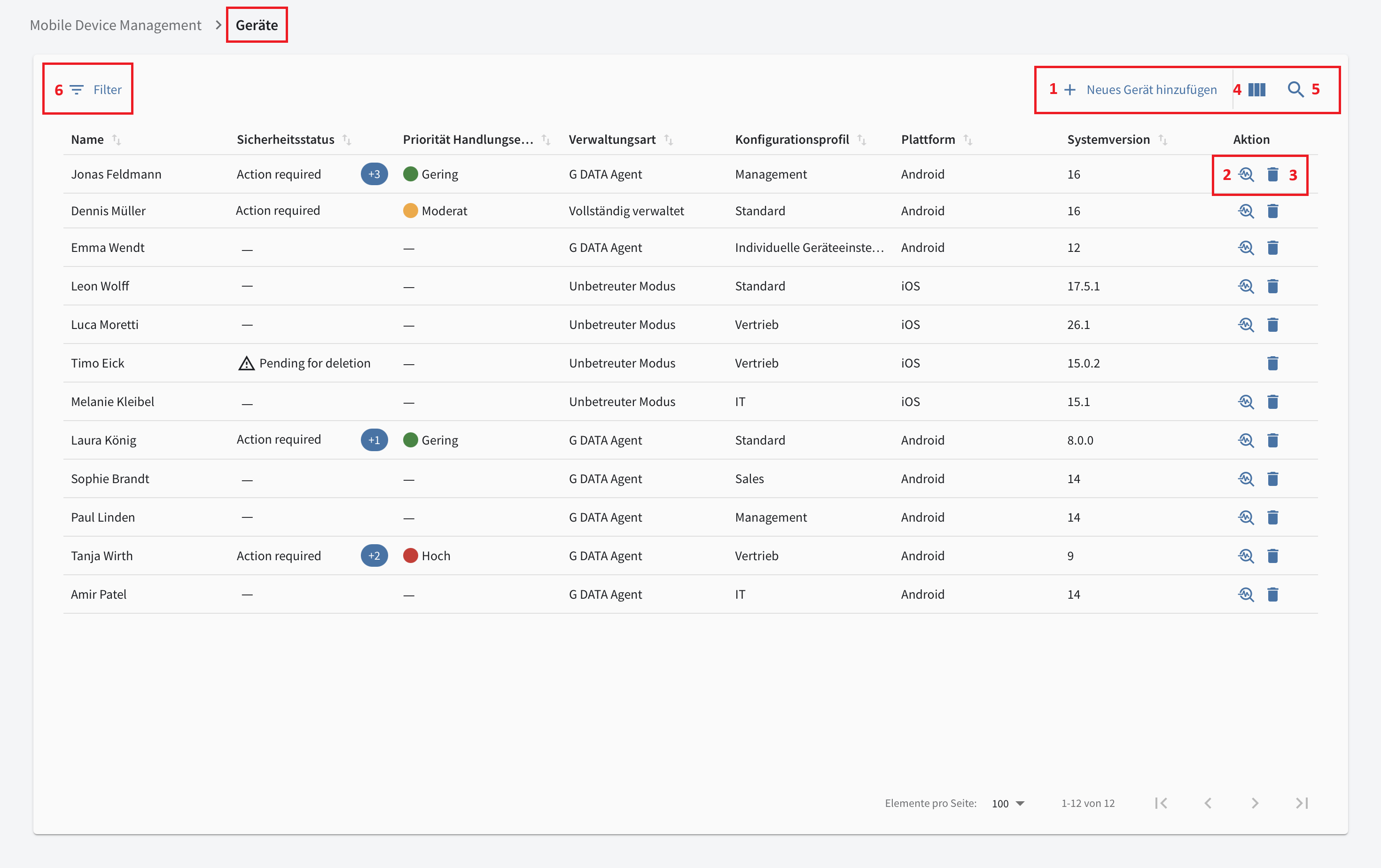
Overview Table
The overview table lets you see important details about your mobile devices at a glance. Click a column heading to sort all entries alphanumerically in ascending or descending order by that column. Additional filtering, search, and sorting options are also available.
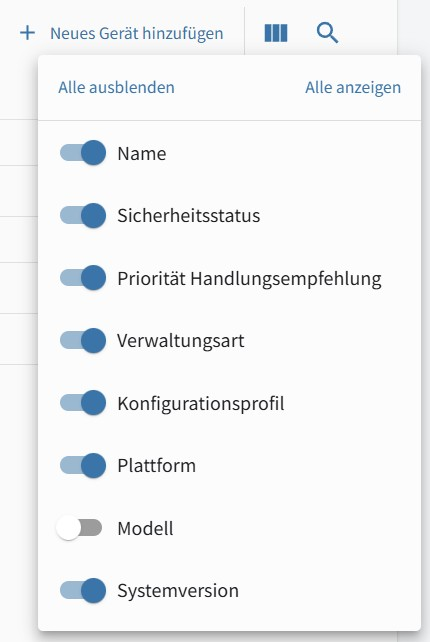
Table Options (→ 4 in screenshot) |
Here you can show or hide individual columns in the overview table. |
|
Search (→ 5 in screenshot) |
Here you can search the table for any full or partial text string. The search covers all columns. |
|
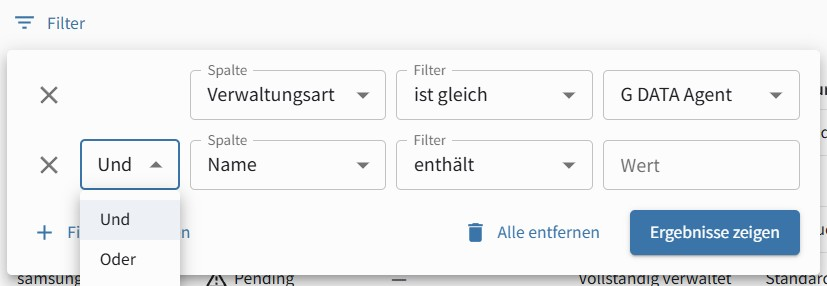
Filters (→ 6 in screenshot) |
Here you can create any number of filters based on Status, System, Device Name, Active Profile, Model, Profile Updated, and System Version. You can combine individual filters using and / or conditions. |
|
You can remove individual devices from G DATA Mobile Device Management by clicking the trash icon  .
To learn what this means for the different management types, see this article. Click the magnifying glass
.
To learn what this means for the different management types, see this article. Click the magnifying glass
 to open the detail view for the device.
The overview table has eight possible columns: Name, Security Status, Recommended Action Priority, Device Management Type, Configuration Profile, Platform, Model, and System Version.
| Column Heading | Description |
|---|---|
Name |
Name of the mobile device. |
Security Status |
Indicates whether there is a Recommended Action for the mobile device. The next column shows its severity. |
Recommended Action Priority |
If there is a Recommended Action, its priority is shown here. The possible levels are High, Moderate, and Low. [#managementType] |
Device Management Type (Management Status) |
Indicates how the mobile device is managed or its management status. Possible values are Fully Managed, G DATA Agent, Supervised Mode, and Unsupervised Mode. |
Configuration Profile |
Name of the active profile on the mobile device. |
Platform |
Operating system type (Android / iOS). |
Model |
Exact model designation of the mobile device. |
System Version |
Version of the mobile device’s operating system. |
Adding New Mobile Devices (→ 1)
Click + Add New Device to add a new mobile device.
Show screenshot
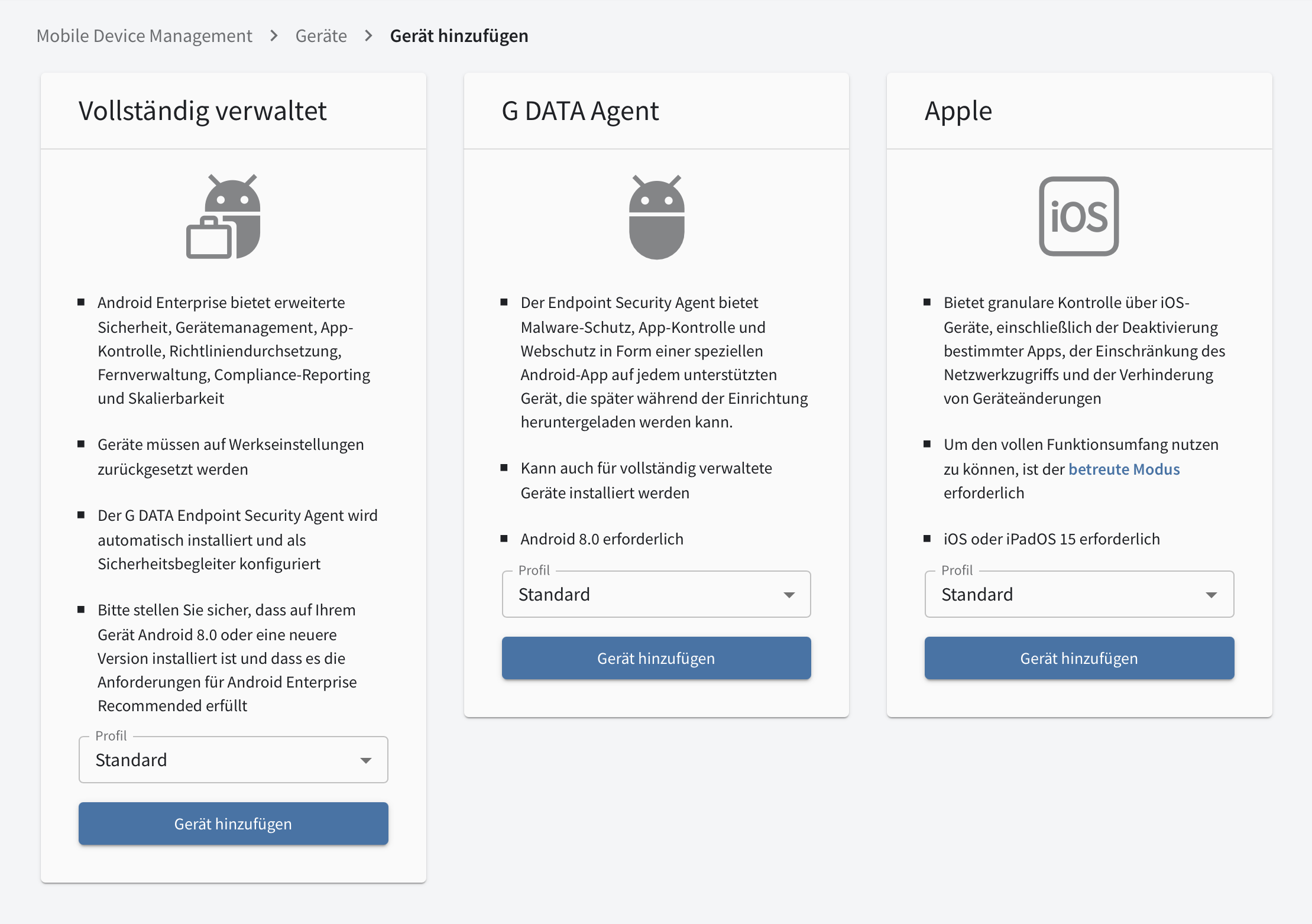
For detailed instructions on adding new devices, see this article.