G DATA 365 | Managed XDR
Assigning permissions and managing rights within roles
| A new role management system will be released on July 29, 2026. As of that date, this documentation is partially outdated and will be revised promptly. |
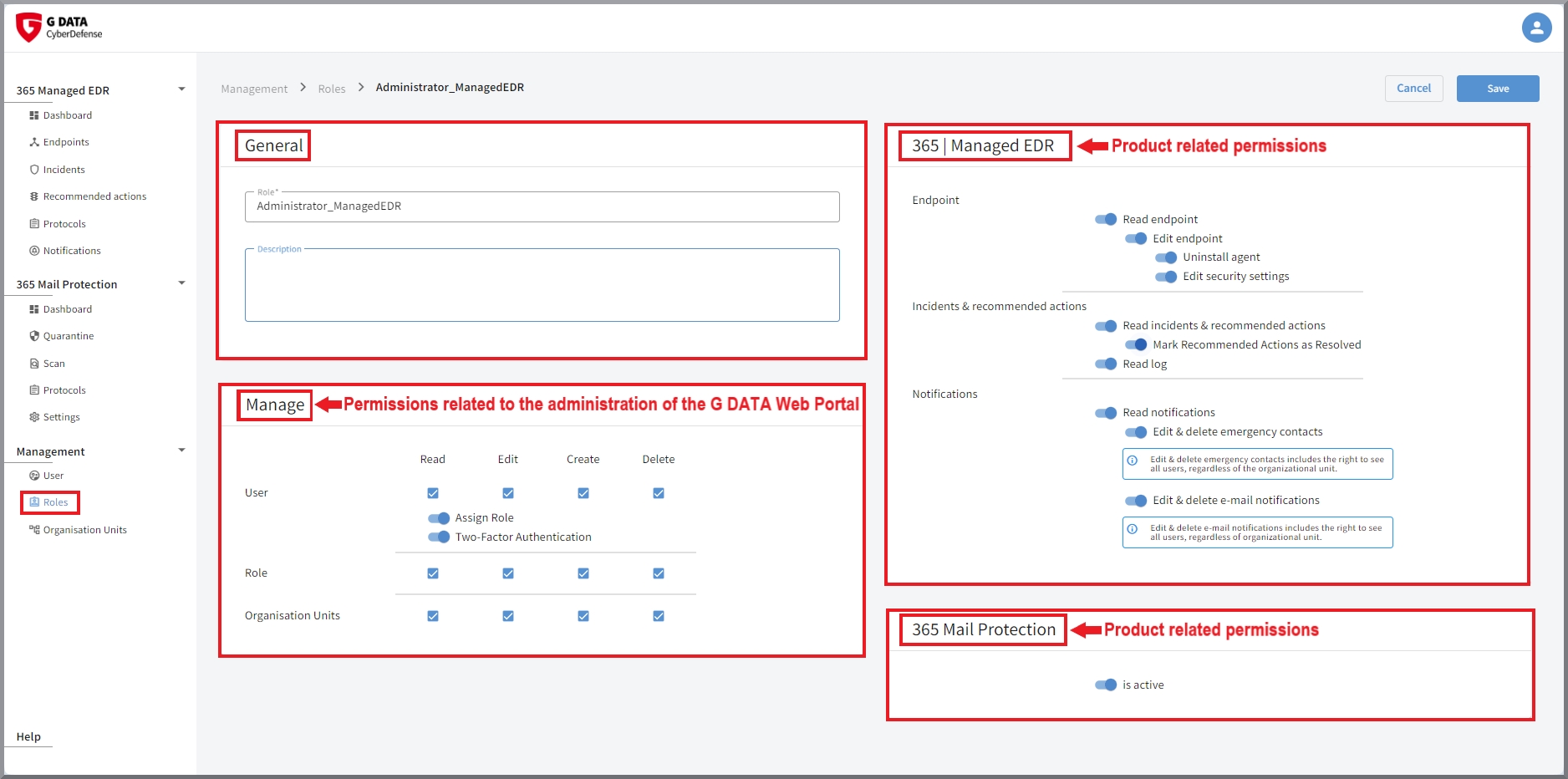
The window is structured identically for both creating new roles and editing roles. However, depending on the license purchased, the content may differ for Customers. Because multiple products are managed in the portal, the content depends on the products purchased.
General settings
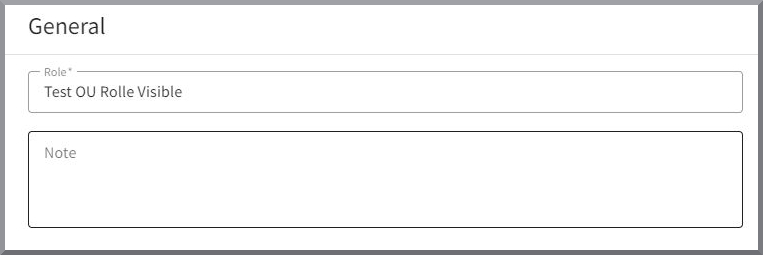
First, there is always a general section that contains the role name and an optional text field for notes.
A second section, which is always present, relates to all permissions required to use the G DATA Web Portal.
Here you define whether users with this role are allowed to manage users, roles, and/or Organization Units
and to what extent (read, edit, create, and/or delete).
In this section, two-factor authentication can also be enabled, as well as notifications on the Endpoints
if detections occur there.
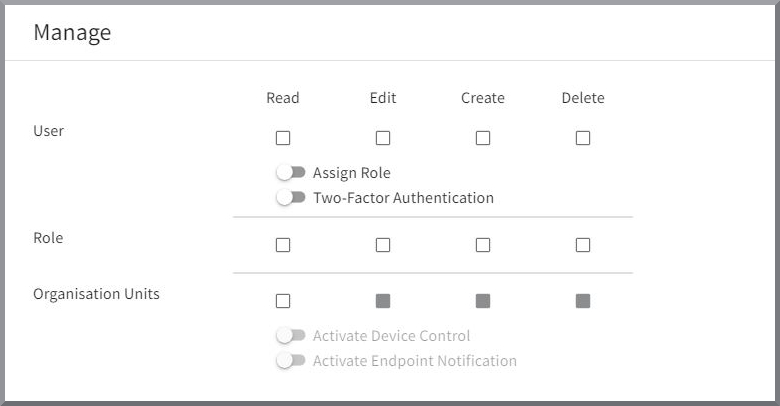
Selecting the relevant checkboxes or toggles grants the corresponding permission.
| Only grant users with full rights to all products the right to assign roles. Otherwise, a user with limited rights could configure all additional rights for themselves without approval. For example, if users are allowed to manage the portal, but are not allowed to see Endpoints or mark Recommended Actions as completed, these users must not have any right to assign the missing permissions to themselves. |
| If you cannot see these blocks or if functions described in this documentation cannot be performed, the logged-in user may not have the required permissions. |
Product-specific settings
Depending on the product, additional product blocks may be available.
Rights configuration G DATA 365 | Managed XDR
Here you can define which rights the role has with regard to the configuration options of G DATA 365 | Managed XDR.
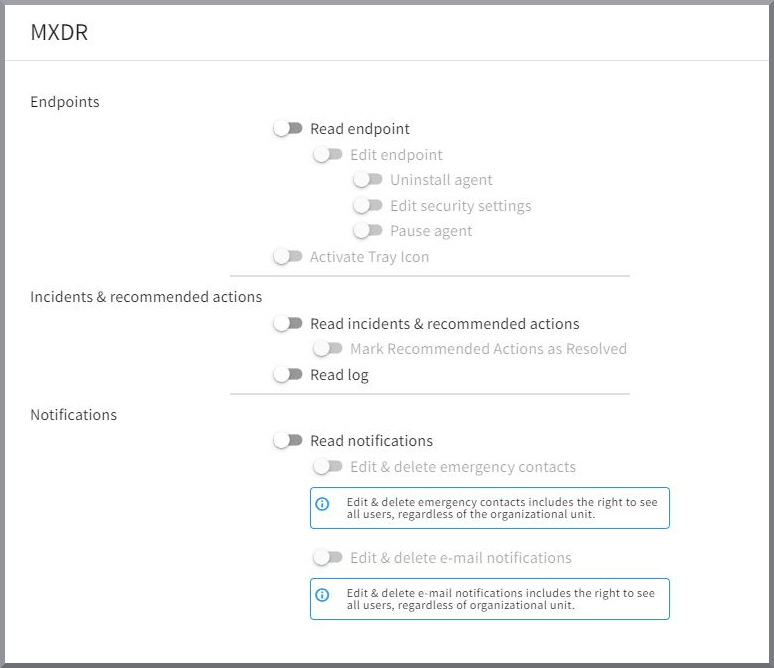
Endpoint management
Read and edit |
Here you define whether role holders can see and/or edit Endpoints. |
||
Configuration options for the Agent |
Deleting the Endpoint from the portal is linked to the permission to uninstall the Agent on the Endpoints. When starting the uninstallation of the Agent, you can decide whether you also want to remove the Endpoint from the portal at the same time. Users authorized to uninstall can still remove the Endpoint from the G DATA Web Portal later.
|
||
Edit security settings |
This right controls the Agent settings on the Endpoint. This includes whether, in the event of a security incident, the reported process should be stopped immediately and whether editing/access by G DATA Security Analysts should be permitted on the affected Endpoint. When the product was introduced, before Onboarding with our G DATA Security Operations Team, a detailed list was created of which of your systems we exclude from the Agent response or from analysis by our G DATA Security Analysts. This was done following a detailed risk analysis. If you would like changes for individual Endpoints during ongoing operations, please contact our G DATA Security Operations Team. These systems were already discussed during the kick-off and configured accordingly during Onboarding. If you would like to have changes made afterward, please contact our G DATA Security Operations Team. For security reasons, the IT Operations Manager also does not have the option to change this setting. |
||
Pause Agent |
Here you can configure whether role holders have the option to pause the Agent on Endpoints for 15 minutes.
|
||
Tray icon enabled |
Here you can configure whether role holders have the option to display the Agent tray icon on Endpoints. |
Incidents & Recommended Actions
Read Incidents & Recommended Actions |
Here you define whether role holders are allowed to see Incidents and Recommended Actions. |
Mark Recommended Actions as completed |
Here you define whether role holders are allowed to mark Recommended Actions as completed. This option is only available if the role is allowed to see Recommended Actions. |
Read logs |
Here you define whether role holders are shown the Logs view. |
Notifications
Read notifications |
Switch to define whether this role receives notifications. |
||
Edit & delete emergency contacts |
Here you can define whether role holders can add and remove users to/from the emergency contact list.
|
||
Edit & delete email notifications |
Here you can define whether role holders can add and remove users to/from the list of recipients of email notifications. In addition, the email language and the type of notification events can be defined.
|
Rights configuration G DATA 365 | Mail Protection

If you use G DATA 365 | Mail Protection, you can define here whether the product is displayed to the role holder in the G DATA Web Portal.
Rights configuration G DATA Policy Control
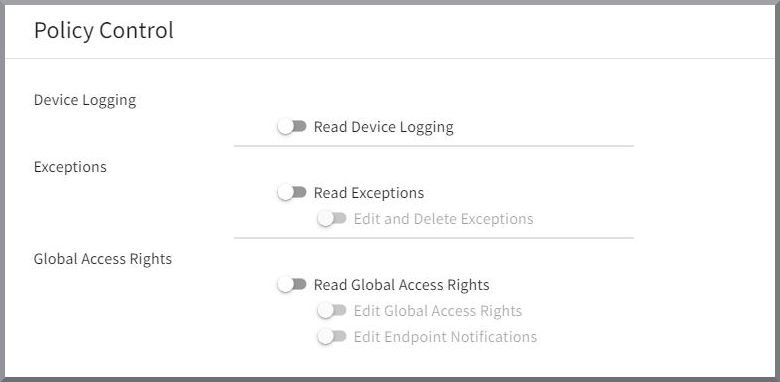
If you use the product G DATA Policy Control, you have the option here to define which adjustments role holders can make in the product.
Device logging |
Slider to define whether role holders can read device logging. |
Exclusions |
Configuration options to define whether role holders can read, edit, or delete Exclusions. |
Global access rules |
Configuration options to define whether role holders can view and/or edit the global access rules, as well as whether they are allowed to edit the notifications that are displayed on the Endpoints. |
Rights configuration G DATA Mobile Device Management

If you use G DATA Mobile Device Management, you can define here whether the product is displayed to the role holder in the G DATA Web Portal.