G DATA Password reset
This article explains how to set a new G DATA password.
1 |
Go to this G DATA password reset website: https://my.gdata.de/lost-password.
|
|||
2 |
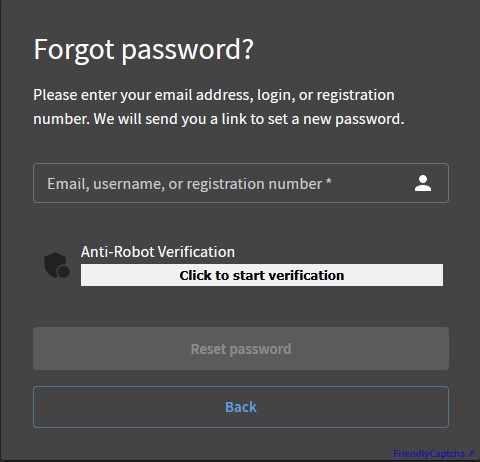
Enter either your email address on file, your G DATA registration number, or your G DATA username. You will then receive an email at the email address on file. |
|
||
3 |
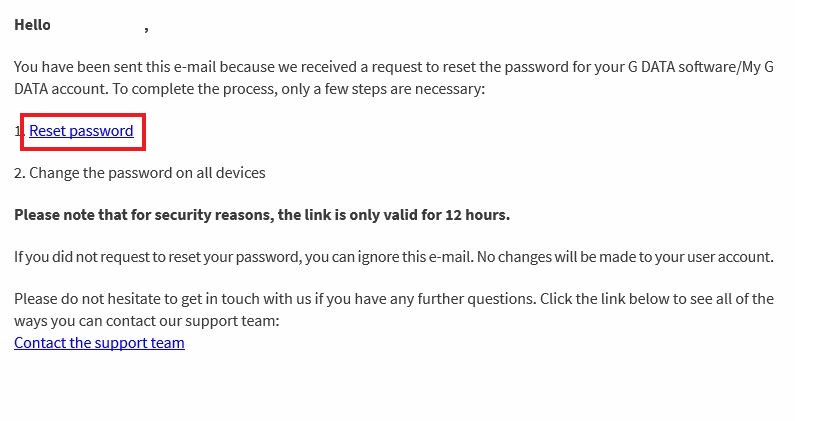
Click the link in the email, and you will be taken to the page for setting a new password. |
|
||
4 |
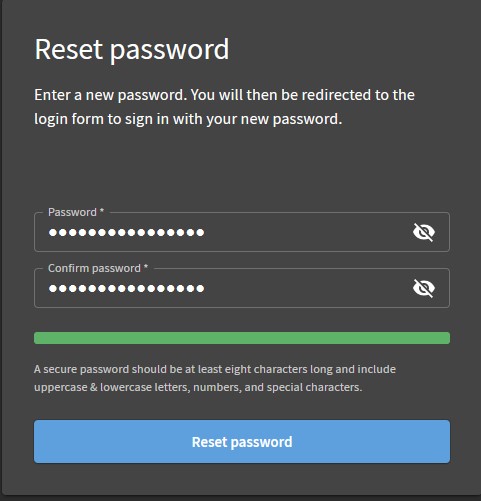
Enter your desired password in both fields and click Reset password. Your new password must meet the following requirements:
|
|
||
Completed. Enter your new G DATA password on all required devices that you protect with your G DATA software.
| After your password has been reset successfully, you will receive an email with the subject 'Your password has been reset successfully '. This email contains your G DATA username. |