Working with the G DATA chatbot
The G DATA chatbot is intended to provide you with a helpful tool that allows you to get help with our products quickly and easily. You can find our chatbot in the German version of the online documentation as well as on our website in the lower-right corner.
|
If you are a consumer and have a subscription license, you can access the chatbot directly from within your product. View screenshot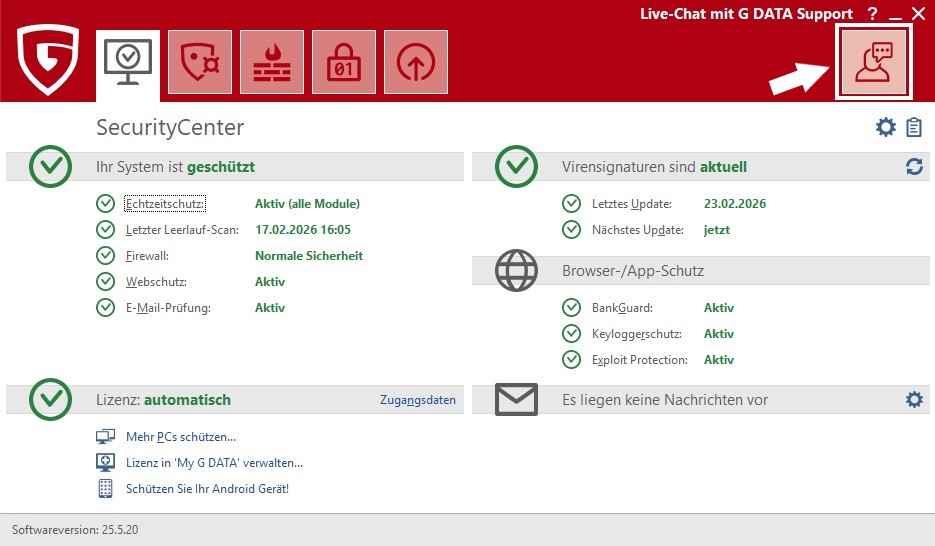
|
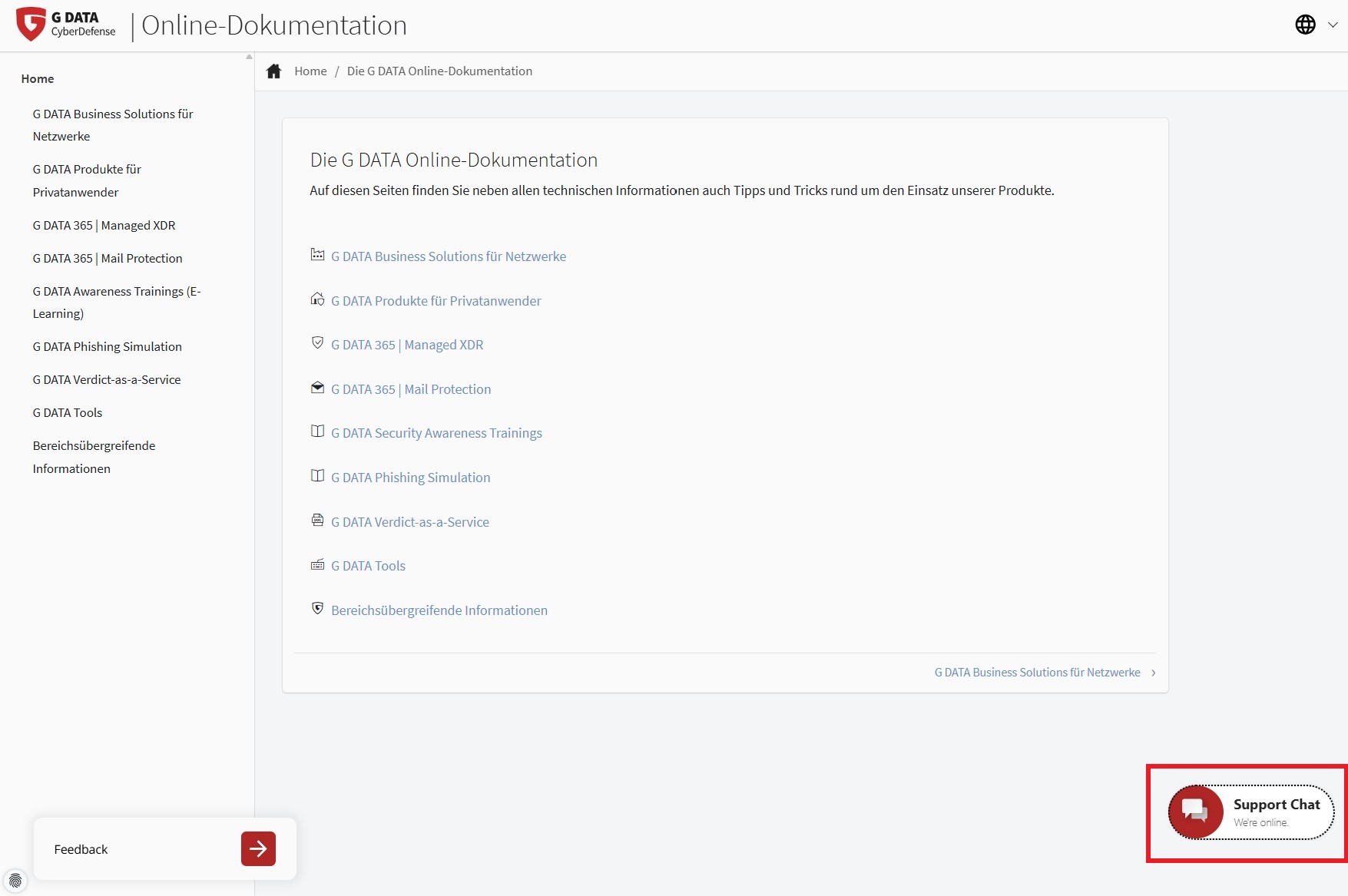
First, you must agree to the Privacy policy in order to use the chatbot. You can view it by clicking Datenschutzerklärung.
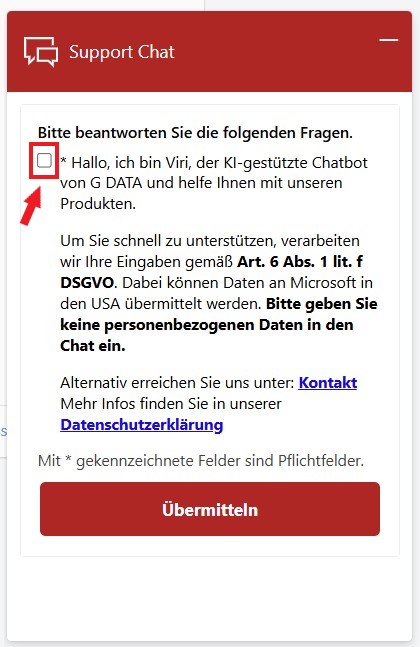
| To answer questions and use the chatbot, no personal data such as your name and address, or a license key or invoice number, is required. As a general rule, avoid providing such data when you communicate with chatbots. |
Before the chatbot can help you, you must also specify whether you need help with our consumer solutions or business solutions.
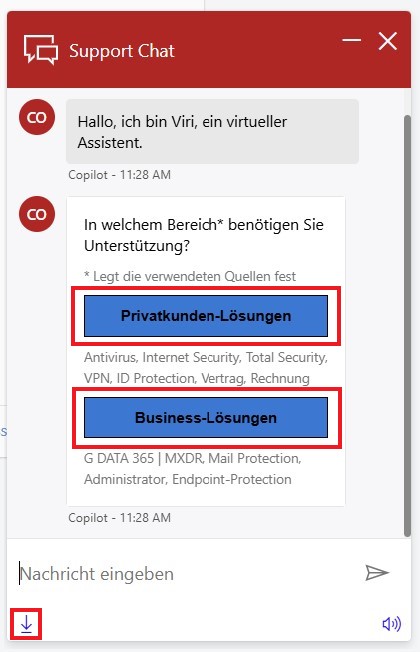
| To receive the most suitable answers possible, if you are looking for information about the business solutions, you must specify the topic in more detail. |
| You can save the entire conversation, including any links, at any time as an HTML file by clicking the Download button in the chat window. |
Try to phrase your request as precisely as possible (without providing personal data).
-
Which product do you need help with?
-
What exactly are you trying to achieve?
In the example below, the question is how to renew the license for G DATA Total Security. It is clear which product it is, and the “what” is also clearly stated.
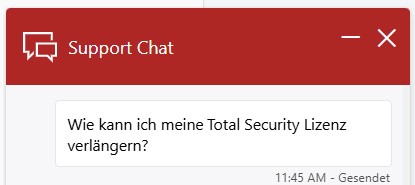
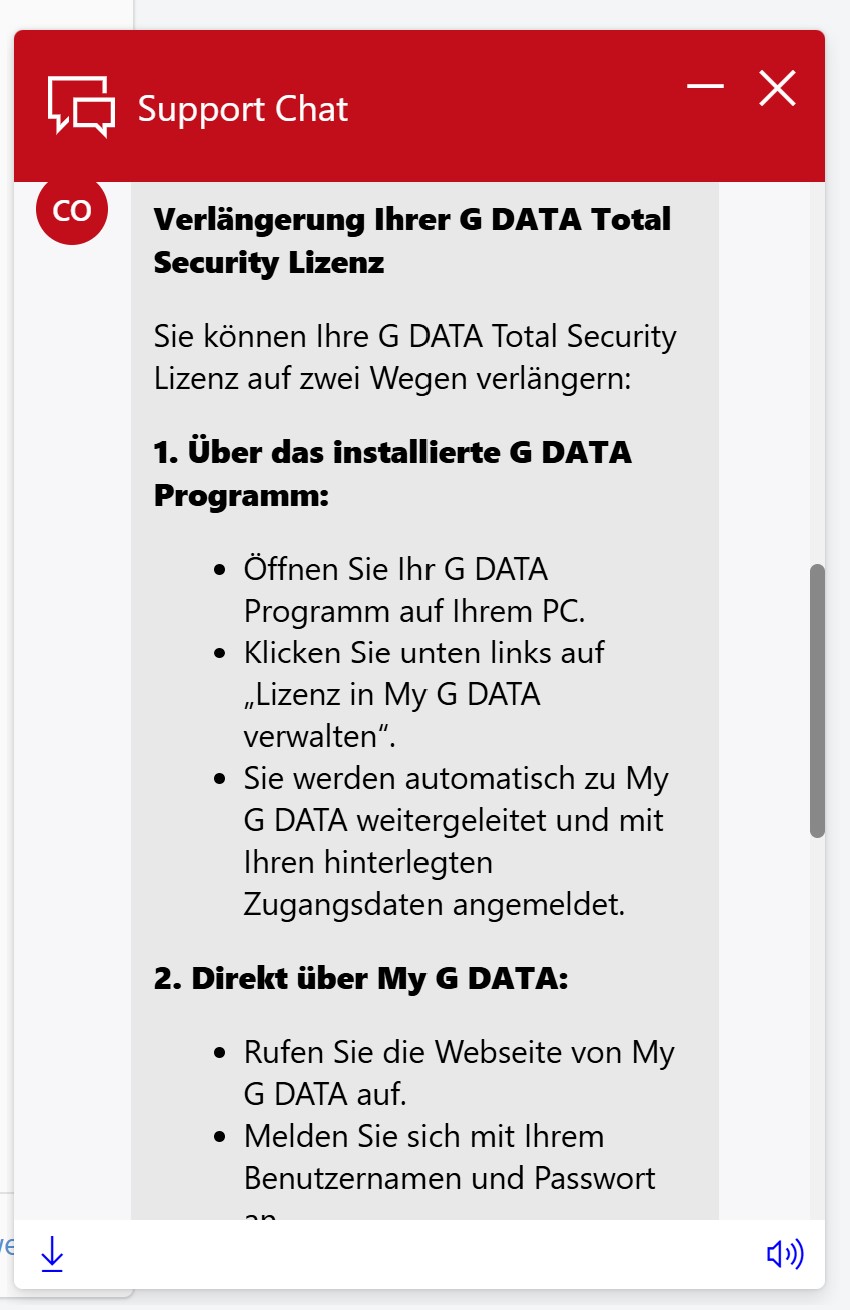
This allows the bot to respond precisely; in this case, there are even two possible answers.
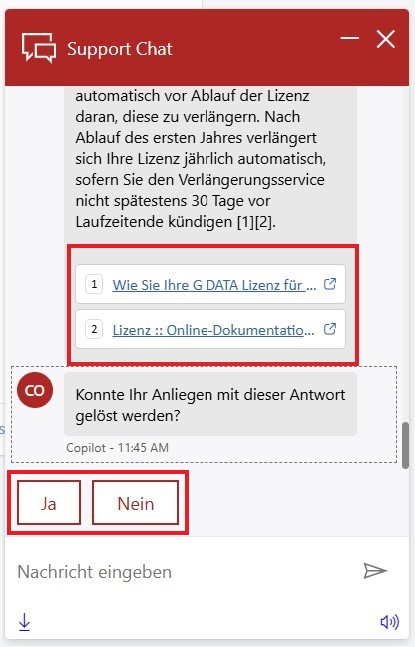
In addition, the sources on which the answer is based are linked. You can click them if additional details are desired. The chatbot also asks whether the provided answer was helpful. In this case, the answer was helpful; clicking Ja ends the conversation with the chatbot.
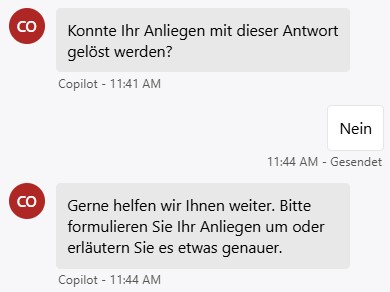
What if the answer was not helpful?
If the answer did not help you, answer the question of whether the answer was helpful with Nein. You now have the option to refine the question again.
If you do not receive a satisfactory answer from the chatbot after 1-2 more attempts, you will be given the option to contact one of our support staff directly. Answer the question of whether you would like to contact G DATA Support with Ja. If you answer Nein, the conversation ends at this point.
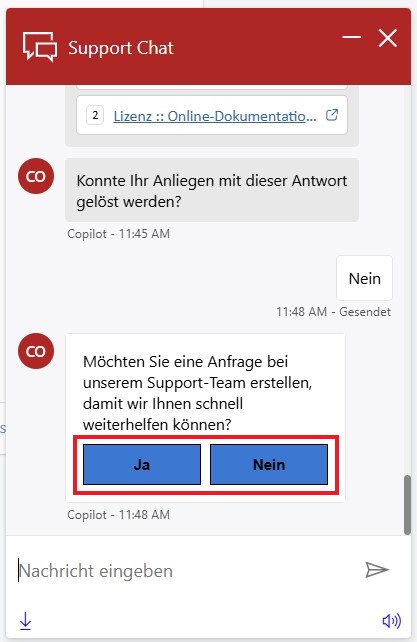
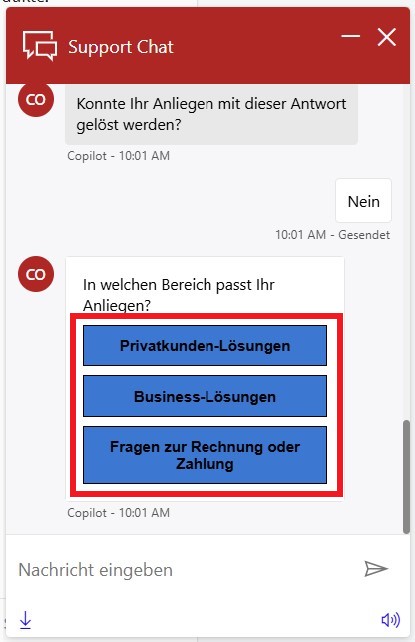
You will then be asked again which area your request relates to. Select consumer solutions, business solutions, or billing or payment questions in order to contact the appropriate support.
After selecting the appropriate area, you will be given a selection of how exactly you would like to contact us.
| Not all contact options are available around the clock. You will be shown the options that are available at the time of the request. |
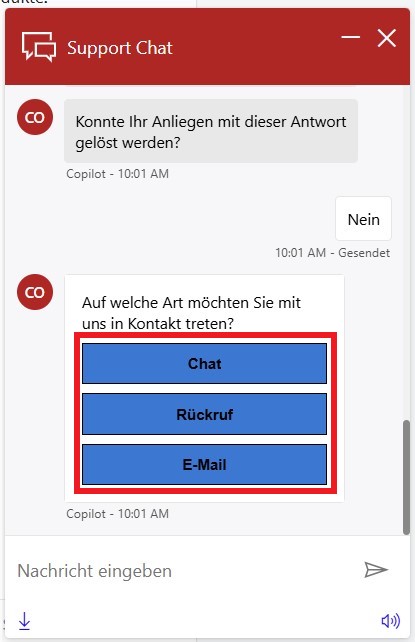
Select the desired contact method. If you select "Chat", the chatbot will be replaced by a human support staff member. If you select "Rückruf" or "E-Mail", you can enter the required data for contacting you.
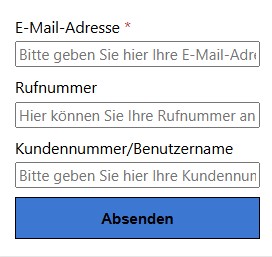
The G DATA support team will then contact you as soon as possible.