The G DATA Security Client no longer starts (Windows Server 2016)
Problem Description
The G DATA Security Client no longer starts after a system update on Windows Server 2016 systems. This can happen after the July 2025 update.
Solution
Unfortunately, changes made by Microsoft is causing this problem, and G DATA cannot take direct action here, though there is a workaround.
For this workaround, open Microsoft “Local Group Policy Editor” (press the Microsoft key and enter "Local Group Policy Editor" into the input field) and navigate to Computer Configuration → Administrative Templates → System → Device Guard.
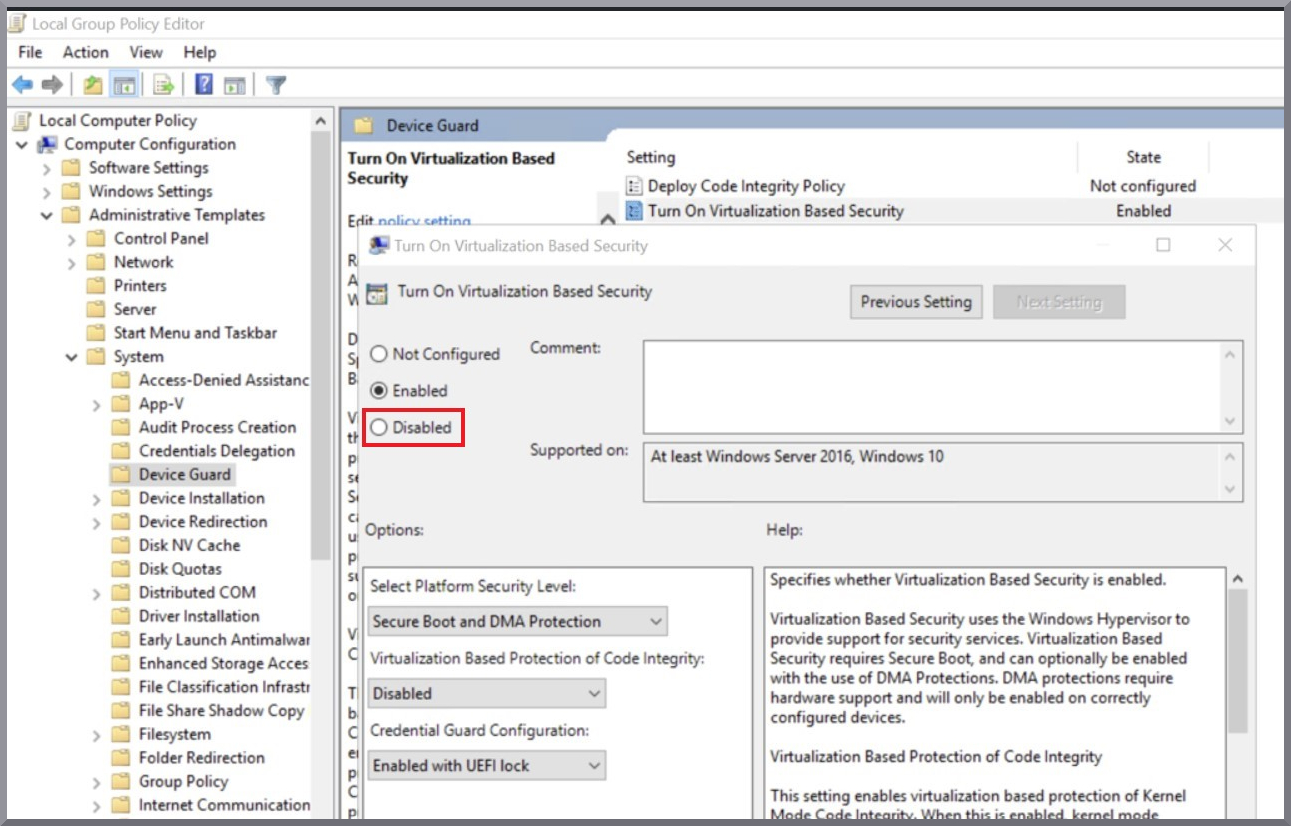
Open “Turn On Virtualization Based Security” in DeviceGuard and disable this feature.