G DATA Total Security
How can I revert the G DATA Firewall to its original state?
How to reset your G DATA Firewall to its factory default state:
1 |
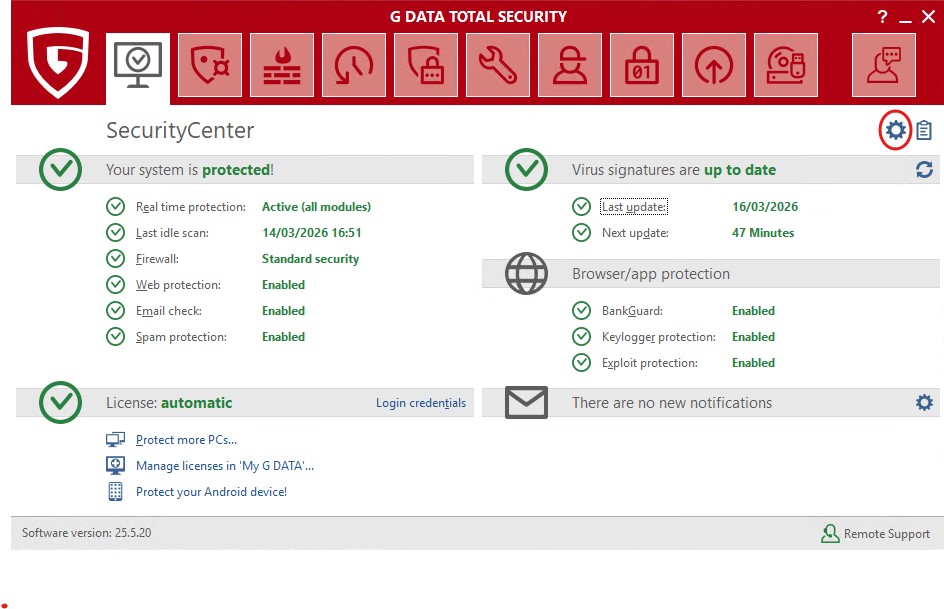
Open the settings of your G DATA software (key combination CTRL+O or click on the gear icon on the right side). |
|
2 |
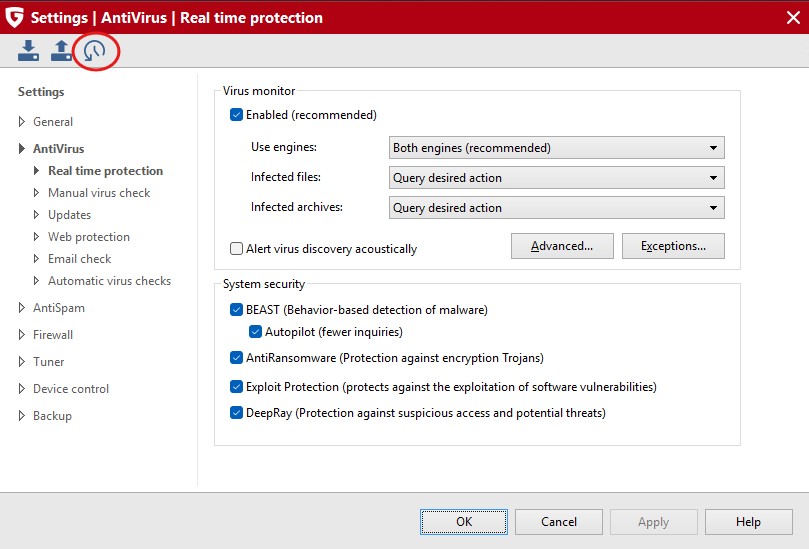
Click "Reset settings" in the upper left corner (icon "semicircle and clock"). |
|
3 |
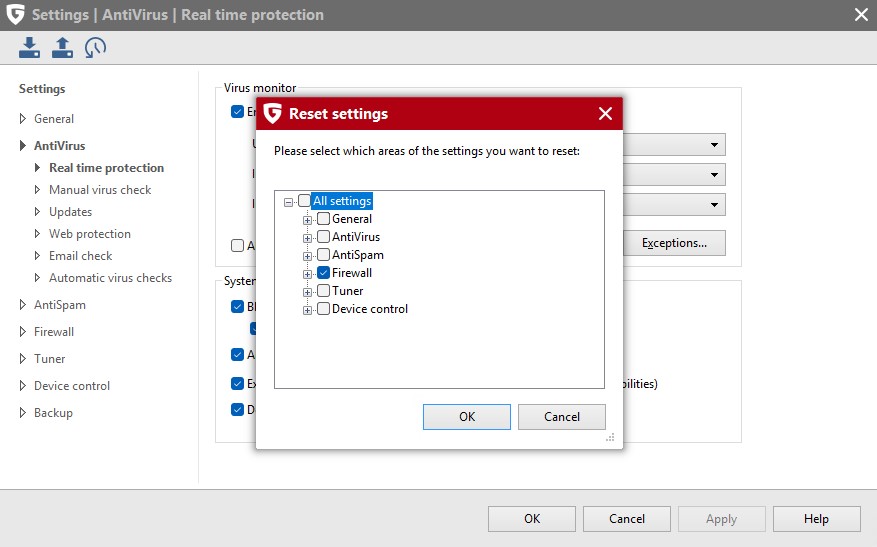
Make sure that the "Firewall" box is checked. |
|
4 |
Uncheck all other boxes unless you want to reset these settings as well. |
|
5 |
Confirm your selection by clicking OK. |
|