How to purchase a G DATA product
This article shows how to purchase a G DATA product through the official G DATA website.
1 |
Go to the G DATA global website www.gdatasoftware.com/. |
|||
2 |
Click on Private user in the upper area and then select the desired product or product line (PC, Mobile, Mac etc.) This example describes the purchase of a G DATA Total Security. |
|
||
3 |
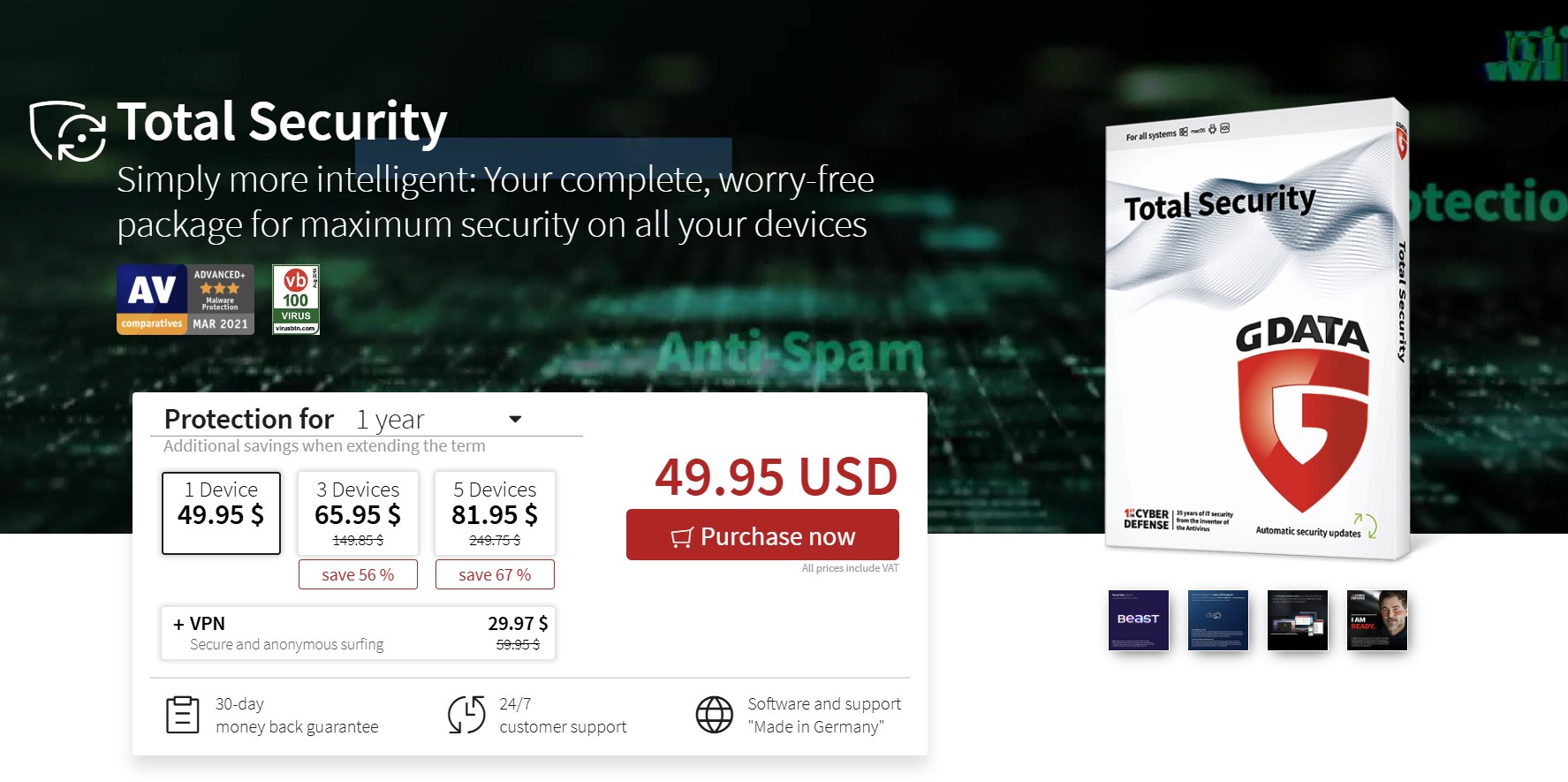
On the product page, select the number of computers you want to protect, as well as the desired license term in years. Click Buy Now to confirm your selection. |
|
||
4 |
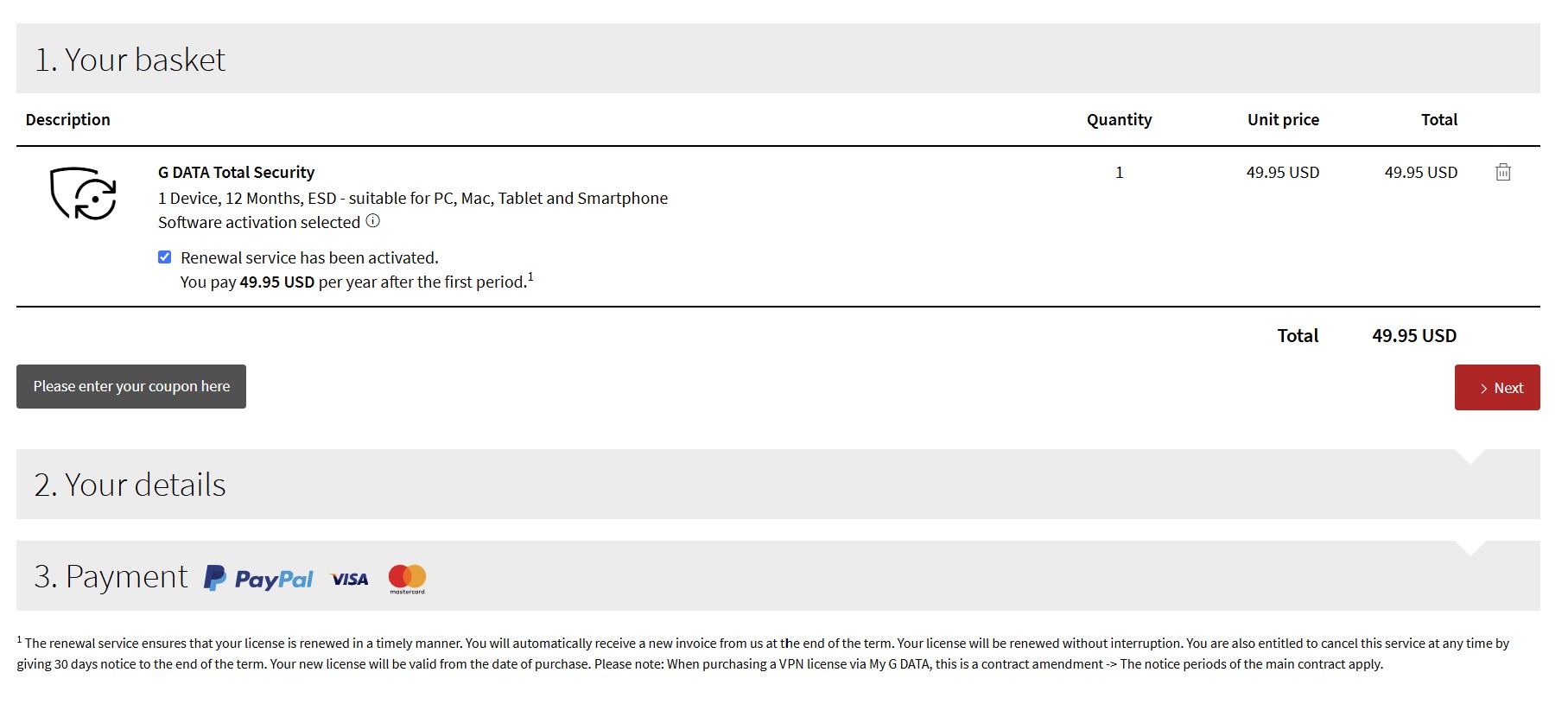
Now check that all the products you want are in your shopping cart.
Now click Got to Checkout. |
|
||
5 |
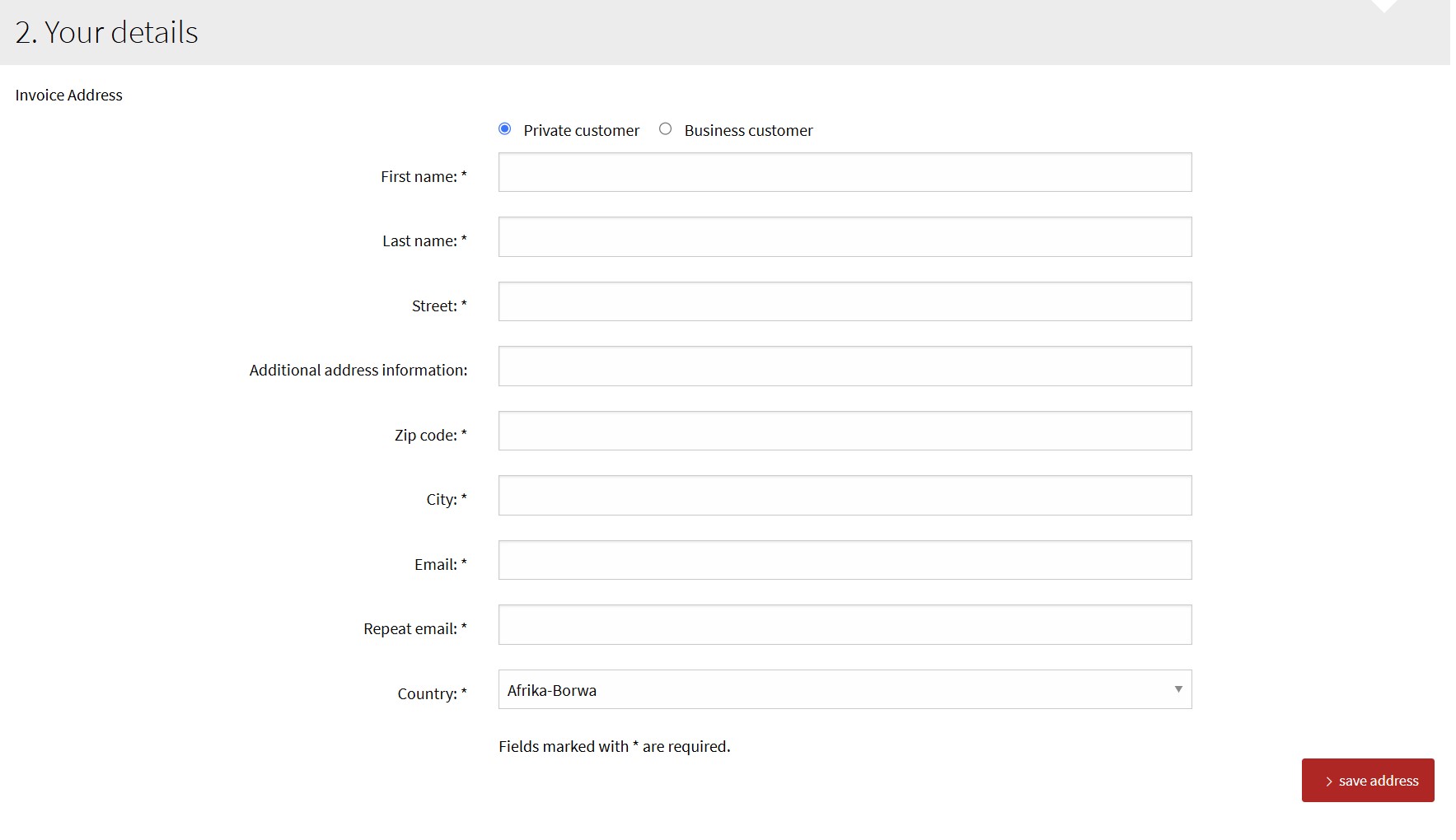
Enter the necessary information and click Continue. |
|
||
6 |
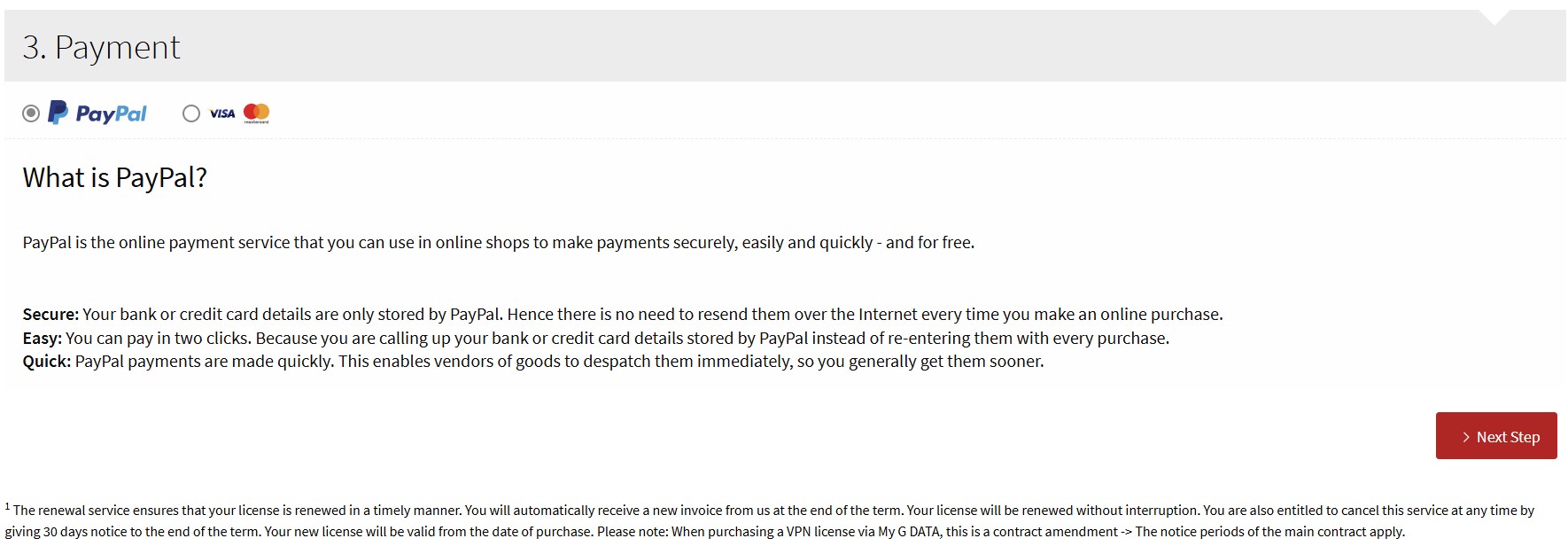
Then tick the box to confirm that you have read and accept the terms and conditions and the box to confirm that you have read and accepted the Acknowledgement of the cancellation policy. Check carefully that the information displayed is correct. Select your preferred payment method and enter the necessary information. Then click on Submit order. Depending on the selected payment method, you will be automatically redirected to the corresponding payment service provider |
|
||
7 |
You have now successfully completed the purchase of your G DATA product. The download of your software will start
automatically after clicking on the red button. You can now install the software. |
|||